


Think your app’s privacy policy is fine?
Apple often disagrees — mismatched policy text, ATT prompts, and App Store labels are a leading cause of rejections.
App Tracking Transparency (ATT) makes apps ask users before tracking them across other apps and websites, and your full policy must say what you collect, why you collect it, and whether it’s used for cross‑app tracking.
This guide shows the exact updates you need: audit SDKs, list data types and purposes, match ATT prompt wording and App Store labels, then test the flow so reviewers won’t flag you.
How to Update Your Privacy Policy for Apple’s App Tracking Transparency Requirements
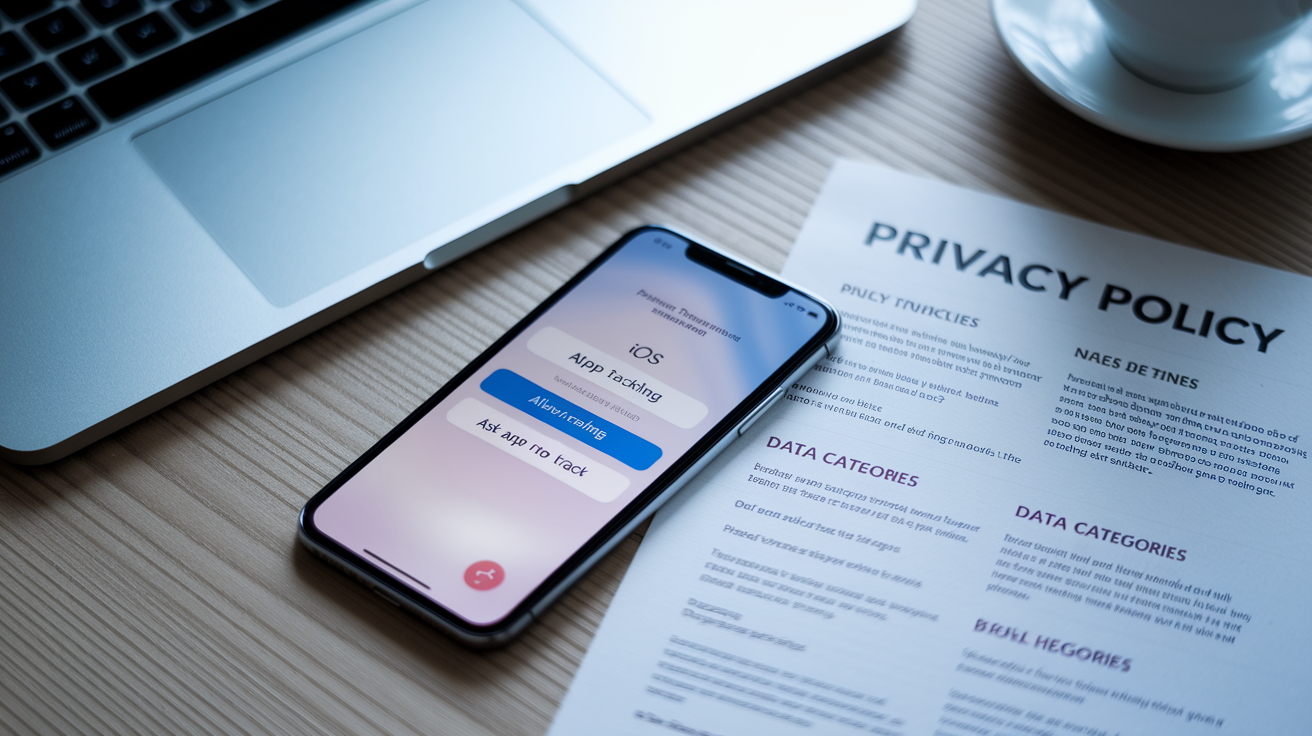
App Tracking Transparency is Apple’s framework that makes apps ask for permission before they can track users across other companies’ apps and websites. That tracking might be for ads, analytics, or data broker purposes. The ATT prompt shows up as a system dialog, and before you can even display it, your privacy policy needs to spell out what data you’re collecting, why you’re collecting it, and whether it’s being used to follow people around the internet.
Your privacy policy has to list which data categories your app grabs, what you do with each one, and whether any of it gets tied to a user’s identity or used for cross-app tracking. The language in your policy needs to match what users see in the ATT prompt and the privacy nutrition labels you fill out in App Store Connect. When these three don’t line up, App Store rejection happens. A lot.
You’ll need to revise a few core things. Say clearly whether your app tracks people and why (ad targeting, attribution, whatever). List the exact data types you collect for tracking purposes, like identifiers, device info, and usage patterns. Explain what happens if someone says no to tracking and whether that breaks anything in your app. And give users a way to contact you or change their tracking settings later, plus a path to delete their data if they ask.
Step‑by‑Step Instructions for Updating Your Policy

Start with a full audit of your app’s data flows. Check every SDK, every analytics tool, every ad network, and your own backend. Figure out what data is being collected, where it’s going, and whether it’s used to identify people across different contexts. You can’t write an accurate policy until you know what’s actually happening under the hood.
Here’s how to get it done:
Inventory all data collection points. Write down every data type your app touches. Identifiers like IDFA, device ID, user ID. Contact stuff like email and phone. Location data. Usage data (page views, taps, how long someone stays in the app). Diagnostics like crash logs and performance metrics. Sensitive info like photos, audio, video, health records. Don’t skip data collected by third party SDKs.
Map each data type to its purpose and destination. For every item on your list, document why it’s collected (does it power a feature, feed analytics, serve ads, personalize content?) and whether it gets shared with anyone or used to track users across apps or sites owned by other companies.
Rewrite the privacy policy to match your data map. Use plain language. Describe each data category, why you collect it, how long you keep it, and whether it’s linked to someone’s identity. Add a section that explains tracking, what the ATT framework is, and what happens if users deny permission.
Check that the policy text lines up with the ATT prompt wording. The purpose string shown in the ATT dialog needs to summarize what the policy explains in full. If your prompt says “to deliver personalized ads,” your policy better describe personalized ad delivery and list the data types involved.
Update the App Store Connect privacy questionnaire and nutrition labels. Enter the same data categories, purposes, and tracking status that you just wrote into the policy. Make sure every SDK collected data type is disclosed. Make sure the tracking declaration matches.
Publish the revised policy and link to it from inside the app. Put the link somewhere visible, like your app’s settings screen. Update the policy URL in App Store Connect. The policy has to be live and reachable before you submit the app update for review.
Once you’ve done all that, test the ATT prompt flow. Confirm it pops up before any tracking starts and that denying permission actually stops cross-app data use. Keep a dated copy of the updated policy and archive old versions for audit purposes.
Required Disclosures Under Apple’s Policies

Apple defines a set of data categories you need to evaluate. If you collect it, you disclose it. Contact Info means name, email, phone, physical address. Identifiers cover user ID, device ID, IDFA, advertising identifiers. Usage Data includes product interaction, advertising data, in-app actions. Location can be precise or coarse. Financial Info is payment details and purchase history. Health & Fitness is self explanatory. Sensitive Info spans racial or ethnic data, sexual orientation, pregnancy status, disability, religion, plus photos, videos, audio, and messages. Diagnostics are crash data and performance logs. User Content is emails, messages, photos uploaded by users. You must disclose each category if your app or any SDK inside it collects that data, whether or not you personally touch it.
Apple splits data into two buckets: linked to the user and not linked. Linked data is tied to someone’s identity through an account, device identifier, or any persistent mechanism that connects data points across sessions or services. Not linked data is collected in a way that can’t be associated with a specific person, like anonymized crash reports sent without identifiers. You have to classify each data type accurately. If you claim something isn’t linked when it’s actually tied to a user ID or advertising identifier, App Store rejection follows. Possibly enforcement action too.
Tracking happens when data from your app gets linked with data from other companies’ apps or websites for targeted advertising or ad measurement, or when you share data with data brokers. Regular app analytics that stay inside your own services don’t count as tracking. Neither does functional stuff like account authentication or fraud prevention. But if any SDK in your app does cross-context data linking or sends identifiers to ad networks that use them for audience targeting, that’s tracking. You need an ATT prompt and you need to disclose it clearly in the privacy policy.
Instructions for Completing Apple’s Privacy Nutrition Labels

Apple’s privacy nutrition labels show up on every app’s product page in the App Store. They give people a quick summary of data practices before they download. Filling them out accurately isn’t optional. The labels must reflect the same info that’s in your full privacy policy and your ATT prompt. If you get it wrong or leave stuff out, App Review rejects you immediately. If they find discrepancies after your app goes live, you risk removal.
Categorizing Your Data
Apple organizes collected data into predefined categories. You select every one that applies to your app. Contact Info is name, email address, phone number, physical address, other contact identifiers. Health & Fitness covers health records, fitness data, medical info. Financial Info includes payment details, credit information, purchase history, credit score. Location captures precise location (GPS level accuracy) or coarse location (city or region). Sensitive Info is a big bucket: racial or ethnic data, sexual orientation, pregnancy or childbirth info, disability, religious or philosophical beliefs, trade union membership, political opinion, genetic information, biometric data, and any photos, videos, audio recordings, or text messages collected from the user. User Content includes emails, SMS or messaging content, photos or videos created or uploaded by the user, audio data, gameplay content, customer support messages, other user generated stuff. Browsing History tracks websites visited or content viewed. Search History logs search queries. Identifiers include user ID, device ID, IDFA, IDFV, advertiser ID, any other persistent identifiers that link to the user or device. Purchases covers purchase history and in-app transactions. Usage Data means product interaction (app launches, taps, page views, time spent), advertising data (impressions, clicks, ad interaction), other usage metrics. Diagnostics captures crash data, performance data, logs used for troubleshooting. Review every SDK you’ve integrated. SDKs may collect data in categories you don’t directly access.
Marking Data as Linked or Not Linked
Data is linked to the user if it’s connected to someone’s identity in a way that lets you associate it across sessions, apps, or services. Examples: data tied to an account (email, user ID), data associated with a device identifier (IDFA, IDFV), data stored with a persistent identifier that can be matched to the same user over time. Data is not linked if it’s collected anonymously, aggregated immediately, and can’t be traced back to an individual user or device. Crash logs submitted without any device or user identifiers might qualify as not linked. Aggregated analytics that strip identifiers before transmission might too. Be conservative here. If there’s any mechanism by which data points can be reassociated with a user, the data is linked. Apple’s enforcement teams cross check SDK documentation and actual data flows. Claiming data is not linked when an SDK stores it with a device ID gets you rejected.
Indicating Tracking Usage
Data is used for tracking if you employ it to link a user or device to data collected from apps and websites owned by other companies, for targeted advertising or advertising measurement, or if you share it with data brokers. Specifically: if an SDK sends the IDFA or another identifier to an ad network that uses it to build cross-app user profiles or deliver targeted ads based on behavior outside your app, that’s tracking. If data goes to a measurement provider that links in-app events with web conversions across different companies’ properties, that’s tracking too. Select “Yes” for tracking if any of these conditions apply. Implement an ATT prompt before you start any tracking activity. If your app collects identifiers solely for internal analytics, fraud prevention, or first party personalization within your own services and doesn’t share those identifiers with third parties for cross-context targeting, you can select “No” for tracking. The distinction matters. Mislabeling tracking status is one of the most common causes of App Store enforcement action.
Legal Language Examples for ATT and Privacy Policy Updates

Privacy policies need clear language that explains tracking and data use in terms users can understand while meeting Apple’s technical requirements. Below are two sample paragraphs that show compliant wording for common scenarios. Adapt these to reflect your actual data practices. Don’t copy them verbatim without checking that they match what your app really does.
Example 1 — Tracking for Personalized Advertising:
“We use tracking technologies to deliver personalized advertisements based on your activity across apps and websites. When you open the app, we request your permission to track your activity. If you grant permission, we collect your device’s advertising identifier (IDFA) and usage data (such as pages viewed, ad interactions, and in-app events) and share this information with third party advertising networks including [Network A] and [Network B]. These networks use the data to show you relevant ads and measure ad performance across multiple apps and websites. If you deny permission, we won’t collect your IDFA or share your activity data for advertising purposes, and you’ll see contextual ads instead. You can change your tracking preference anytime in your device’s Settings > Privacy > Tracking.”
Example 2 — No Tracking, First Party Analytics Only:
“We collect usage data to improve app performance and understand how users interact with features. This data includes session duration, screens viewed, and actions taken within the app. All data is linked to a randomly generated user ID created when you first open the app and is stored on our own servers. We don’t share this data with third parties for advertising or measurement purposes, and we don’t link it with data from other companies’ apps or websites. Because we don’t track you across other companies’ properties, we don’t request tracking permission under Apple’s App Tracking Transparency framework.”
Common Compliance Errors to Avoid

Lots of developers get App Store rejection because of avoidable mistakes in privacy disclosures and ATT implementation. Knowing these common errors helps you prevent delays and enforcement actions during review.
Requesting ATT permission without a clear purpose string gets you rejected. The system prompt includes a developer supplied purpose string explaining why tracking is requested. Vague phrases like “to improve your experience” or leaving the field empty won’t fly. The purpose must specifically state what tracking will accomplish, like “to deliver personalized ads” or “to measure ad effectiveness across apps.”
Collecting IDFA or starting tracking before showing the ATT prompt violates ATT rules. Apple requires the prompt appear before any tracking activity begins. If analytics or ad SDKs access the IDFA or send cross-app identifiers before user consent is obtained, your app gets rejected. Delay SDK initialization or tracking calls until after the user responds to the prompt.
Mismatch between privacy policy disclosures and App Store privacy labels is another rejection trigger. If your policy says location data isn’t collected but the privacy label declares coarse location collection, App Review flags the inconsistency. All three disclosure points (policy, labels, ATT prompt) must align exactly.
Failing to disclose SDK data collection is common. Third party SDKs often collect data independently of your app’s code. You’re responsible for disclosing all data collected by embedded SDKs, even if you don’t directly access that data. Leaving out SDK collected identifiers, diagnostics, or usage data from the privacy labels causes rejection.
Using vague or incomplete privacy policy language gets flagged too. Policies that don’t specify data types, purposes, retention periods, third party recipients, and user rights get rejected. Apple expects detailed, category by category disclosure written in plain language that a non technical user can understand.
After you’ve avoided these errors, test the complete flow. Check that the policy link is accessible, that the ATT prompt appears with the right wording, and that data collection behaves correctly whether users consent or not. Do this before you submit the app update. Regular audits and updates are necessary whenever you add new SDKs or change data practices.
Final Words
Start by updating your privacy policy to show what you collect, why, and whether you link or track users—match that language to your ATT prompt and App Store entries.
Follow the step-by-step mapping, rewrite sections, complete privacy nutrition labels, and use the sample legal language we provided. Avoid vague wording; test your prompts before submission.
How to update your app privacy policy for Apple changes is straightforward: document data categories, mark linkage and tracking, sync App Store Connect, and publish. Do it now and you’ll reduce rejection risk and user confusion.
FAQ
Q: How do I change the privacy settings for an app, reset app permissions on iOS, or update app restrictions on iPhone?
A: To change app privacy, reset permissions, or update restrictions on iPhone, use Settings: Privacy or the app’s settings to toggle permissions; Screen Time > Content & Privacy Restrictions to set limits; Reset Location & Privacy to revert.
Q: What to avoid when using an iPhone?
A: Avoid jailbreaking, installing unverified apps, reusing weak passwords, granting unnecessary app permissions, and skipping iOS updates; these actions increase security, privacy, and stability risks.