

Apple’s privacy update turned tracking into an opt‑in choice, and that’s rewriting how apps, ads, and analytics work.
If you build or run apps, this isn’t abstract policy.
It forces concrete changes: show the App Tracking Transparency (ATT) prompt, update your App Privacy label, and name third‑party partners.
This post breaks the rules down, gives the exact API and Info.plist steps you must follow, and explains the real effects on ad reach, attribution, and App Store review risk.
Bottom line: here’s what to change now and what to watch next.
Key Changes in Apple’s Privacy Rules and Consent Requirements
Apple’s privacy update puts App Tracking Transparency (ATT) front and center. ATT launched with iOS 14.5 and changed one big thing: apps now have to ask before tracking users across other companies’ apps and websites. No more automatic access to tracking identifiers like IDFA. No silent data sharing with ad networks. The system shows a prompt once per app, remembers what you chose, and applies that decision everywhere the app tracks you.
There’s also a new App Privacy questionnaire in App Store Connect. Fill it out, and Apple generates a “nutrition label” that shows up on your product page. The label tells people what data you collect, what you do with it, whether it’s tied to them personally, and whether you’re using it for tracking. The label and the ATT prompt work as a pair. If your questionnaire says you track people, you have to show the ATT prompt before you start collecting or sharing anything for ads or analytics.
Enforcement kicked off in April 2021. By 2025, Apple added another layer: you have to name the third parties you’re sharing with. No more vague “to improve your experience” language. Now it’s “Share with Meta for advertising” or “Share with Google for analytics.” Clear names make choices clearer and give Apple better audit trails when they check if your app does what you said it would.
Here’s what ATT actually requires:
- Call
ATTrackingManager.requestTrackingAuthorization()before you touch IDFA or pass identifiers to anyone else. - Add an
NSUserTrackingUsageDescriptionstring to your Info.plist explaining why you want tracking permission. Write it in plain language, eighth-grade reading level. - Honor the user’s answer right away. If they say no, don’t collect tracking data and don’t try to fingerprint the device as a workaround.
- Make sure your App Privacy questionnaire matches what your app actually does. Mismatches get flagged automatically and your update gets rejected.
- Let people change their mind anytime through iOS Settings, and check authorization status programmatically before every tracking operation.
Understanding the ATT Consent Prompt
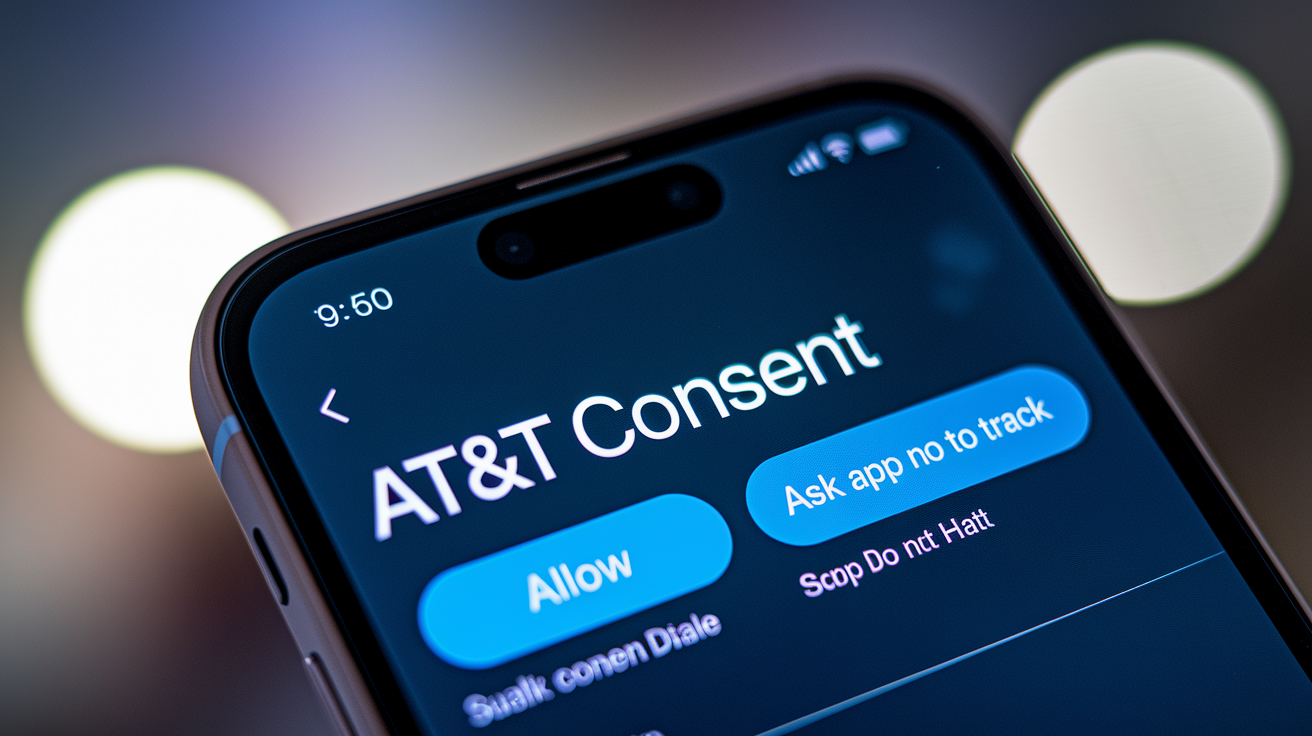
The ATT prompt is a standard system dialog that appears when you call requestTrackingAuthorization(). Apple controls the look and the two buttons—”Allow” and “Ask App Not to Track.” You can’t redesign it or mess with the wording to nudge people toward yes. The only part you customize is the NSUserTrackingUsageDescription text, which shows up above the buttons and explains what you’re going to do with tracking permission.
Write that message in everyday language. Skip the marketing speak. Name the third parties you’re sending data to. “We share your activity with Facebook and Google to show you relevant ads” works. “Unlock a personalized experience by enabling tracking” doesn’t, because it hides the actual data flow and looks like a dark pattern.
Across most app categories, opt-in rates land between 20 and 40 percent. Games and social apps see lower numbers. Productivity and health apps that explain a clear trade (like syncing data across devices or tailoring workout plans) get higher acceptance. The prompt only shows once per install unless someone resets their privacy settings, so that decision sticks until they manually change it or reinstall.
Implementing ATT Compliance in Your App

Import the AppTrackingTransparency framework and add the NSUserTrackingUsageDescription key to your Info.plist. Without that string, calling requestTrackingAuthorization() will crash your app or get you rejected in review.
Pick when to ask. Apple suggests waiting until people have used your app and understand what tracking gets them. Asking on the first screen before anyone’s seen your content usually tanks your opt-in rate below 15 percent.
Call ATTrackingManager.requestTrackingAuthorization(completionHandler:) at that chosen moment. The system handles the prompt asynchronously, and the completion handler gives you one of four statuses: authorized, denied, restricted, or notDetermined.
Check ATTrackingManager.trackingAuthorizationStatus before you fire up any tracking SDKs or touch IDFA. If the status isn’t authorized, don’t collect tracking data and flip your third-party SDKs into non-tracking mode.
Set up your SDKs to respect that status. Firebase, Meta SDK, Google Analytics, they all offer config flags or init methods that turn off tracking when consent’s denied. Check each SDK’s docs and set those flags before anything starts collecting.
Update your App Privacy questionnaire in App Store Connect. Declare everything: which SDKs collect data, what identifiers you access, all of it. If you use IDFA, cookies, or fingerprinting, answer “Yes” to the tracking questions and list every third party getting the data.
Common mistakes? Starting tracking SDKs on launch before you check consent. Using the old advertisingIdentifier property without an ATT check. Forgetting to update the label when you add new SDKs. Apple’s automated review scans your binary for IDFA access and cross-checks runtime behavior against your questionnaire. Inconsistencies mean instant rejection.
Data Types Restricted Under Apple’s Privacy Policies

Apple defines tracking as linking user or device data from your app with data from other companies’ apps, websites, or offline properties for advertising or analytics. That means sharing IDFA with ad networks, passing hashed emails to data brokers, or using persistent identifiers to build cross-app profiles. It also covers any sharing where the third party uses your data for their own ads or measurement, even if you anonymize or aggregate it first.
What doesn’t need ATT permission? Collecting first-party data that stays inside your app or your own services. Using data only for fraud prevention or security. Sharing data when the user taps a “Share” button to post something to a social network. Apple also allows analytics that measure your own app’s performance and don’t feed into ad systems or audience graphs.
Fingerprinting is banned outright. Don’t try to identify devices by collecting screen resolution, installed fonts, battery level, or network settings. Apps caught fingerprinting get pulled from the App Store immediately. Apple’s guidelines are clear: if you can’t make your feature work with permission-based identifiers, redesign it to function without persistent tracking or build something equivalent that doesn’t rely on cross-app data.
Impact of Apple’s Privacy Update on Advertising and Analytics

ATT pushes advertisers away from deterministic tracking (where every action ties to a persistent ID) toward probabilistic modeling and aggregated reports. Apple’s SKAdNetwork gives you conversion data without revealing individual identities, but the data shows up 24 to 72 hours late and you only get one conversion value per install. Real-time optimization and granular funnel analysis are much harder now compared to before ATT.
What this looks like in practice:
Retargeting audiences shrink because you can only retarget people who opted in. That cuts addressable pools by 60 to 80 percent in many categories.
Attribution gets less accurate since SKAdNetwork doesn’t support view-through attribution, multi-touch models, or user-level event streams.
Contextual targeting becomes more important. You place ads based on content or app category instead of individual behavior.
Cost per acquisition goes up as reduced targeting precision lowers conversion rates and forces broader bidding.
Analytics teams hit similar walls. Cross-app journey tracking disappears for non-consented users. Understanding how people move between touchpoints or comparing behavior across multiple apps gets difficult. Lots of teams now run parallel measurement: one system for opted-in users with full tracking, another for opted-out users using aggregated methods like differential privacy or on-device processing. The result is a fragmented view and longer feedback loops for experiments.
Consequences of Non‑Compliance with Apple’s Policies
Apps that break ATT rules or lie on the App Privacy questionnaire get rejected during review. Apple’s automated scanners catch unauthorized IDFA access, undeclared SDK use, and runtime behavior that doesn’t match your privacy label. When they find a violation, your update gets blocked and you receive a rejection notice with instructions to fix it and resubmit.
Repeat violations or serious ones escalate. Apple might pull all versions of your app from the store, require a corrective plan before you can resubmit, or flag your developer account. In extreme cases, they’ve terminated accounts entirely, which removes all associated apps and blocks the person or company from publishing anything new under that account.
Three primary enforcement actions:
App update rejection with a notice explaining the privacy issue and what you need to change.
App removal from the store if you don’t correct the violation within the timeframe or if it’s severe enough to warrant immediate delisting.
Developer account suspension or termination for persistent non-compliance, fraudulent disclosures, or deliberate attempts to dodge ATT through fingerprinting or misleading prompts.
Best Practices for Improving User Opt‑In Rates

Pre-prompts bump opt-in rates by 40 to 60 percent compared to asking for tracking right away. A pre-prompt is a custom screen you show before the system ATT dialog. It explains what tracking means in plain language, shows the specific benefits the user gets (personalized recommendations, synced preferences), and gives context for why you’re asking. The pre-prompt doesn’t request consent itself. It prepares people to make an informed choice when the system prompt appears.
Timing matters too. Apps that wait until people have experienced core value see opt-in rates 25 to 35 percent higher than apps asking on first launch. The goal is building trust and showing what your app does before you introduce a permission request.
Strategies that work:
Show a pre-prompt screen explaining what data you track, who gets it, and what the user gains. “We share your activity with ad partners to show you relevant offers and keep the app free” is a good example.
Use simple, benefit-focused language instead of legal or tech terms. “See ads for products you might like” beats “Enable cross-app tracking for personalized advertising.”
Provide a live example of how tracking improves things. Show a before-and-after of generic versus personalized content.
Ask after you’ve delivered value. Wait until someone finishes their first meaningful action (completing a workout, saving a recipe, finishing a level).
Don’t use pressure tactics. Hiding features behind consent, countdown timers on the pre-prompt, or visually emphasizing the “Allow” button violates Apple’s guidelines. Apps using dark patterns risk rejection and damage user trust, which hurts retention and brand reputation long term.
Final Words
We jumped straight into Apple’s App Tracking Transparency: mandatory opt‑in prompts, limits on cross‑app tracking, and the need to declare tracking in App Store privacy labels.
The guide showed how the consent prompt behaves, concrete ATT implementation steps, which identifiers are restricted, and how ads and analytics shift toward SKAdNetwork and contextual approaches.
Apple privacy update and user consent requirements explained here mean more upfront transparency for users and new developer responsibilities — but with clear steps and better consent UX, teams can adapt and keep delivering value.
FAQ
Q: What are the key changes in Apple’s privacy rules and consent requirements?
A: The key changes require apps to use App Tracking Transparency (ATT), display a mandatory opt-in prompt, and obtain explicit permission before tracking users across apps or websites.
Q: What does the ATT consent prompt show and what can developers customize?
A: The ATT consent prompt shows Apple’s standardized request to allow tracking; developers can add a brief pre-prompt message but cannot alter Apple’s core wording or button labels. Global opt-in averages about 20–40%.
Q: How do I implement ATT compliance in my app?
A: To implement ATT compliance, use the AppTrackingTransparency framework, call ATTrackingManager.requestTrackingAuthorization, avoid gating content, and accurately declare tracking in App Store privacy labels.
Q: What data types are restricted under Apple’s privacy policies?
A: Restricted data types include IDFA and other device identifiers, fingerprinting techniques, and any cross-app tracking without consent; first-party data collection is allowed when clearly disclosed.
Q: How does Apple’s privacy update affect advertising and analytics?
A: Apple’s update pushes advertisers to SKAdNetwork for aggregated, delayed attribution, reduces personalization and audience size, and increases reliance on contextual targeting and new measurement approaches.
Q: What penalties apply for non-compliance with Apple’s policies?
A: Penalties for non-compliance include app update rejections, removal from the App Store, required corrective actions, and possible developer account restrictions for repeated violations.
Q: What are best practices for improving ATT opt-in rates?
A: Best practices to improve opt-in include using a clear pre-prompt, explaining the value exchange, timing the request well, and avoiding pressure that undermines user trust.
Q: Can apps track users before getting ATT consent?
A: Apps cannot track users across apps or websites before obtaining explicit ATT consent; any tracking tied to cross-app identifiers must wait until the user opts in.
Q: Are developers allowed to gate features behind tracking consent?
A: Developers are not allowed to gate core features or essential content behind tracking consent; withholding functionality from users who decline tracking violates Apple rules.
Q: How should apps declare tracking practices on the App Store?
A: Apps must declare tracking practices accurately in App Store privacy labels, listing what data is collected and the purposes (for example, advertising, analytics, or personalization).