


Think Apple’s privacy update is optional?
It’s not.
Since March 13 and May 1, Apple requires privacy manifests, signed SDKs, matched App Store privacy labels, and approved reasons for certain system APIs.
Reviews now check that your manifest matches runtime collection and that every third‑party SDK carries a valid signature.
This guide gives a short, step‑by‑step checklist to update code, App Store Connect metadata, ATT (App Tracking Transparency) flows, and testing so you stop getting rejected.
Immediate Compliance Steps for Apple’s Privacy Policy Update

Apple’s running two hard deadlines you need to know about. As of March 13, 2024, they started reaching out to developers who submit apps without proper explanations for data collection in their privacy manifests. Then on May 1, 2024, the bar went up: every app needs approved reasons for specific APIs, plus privacy manifests and SDK signatures are no longer optional. During review, Apple’s checking whether your manifest actually matches what you’re collecting, whether your SDKs carry valid signatures, and whether your Privacy Nutrition Labels line up with what’s in your manifest.
You’re dealing with four technical areas. You need privacy manifest files in plist format that spell out what data your app collects, what your third-party SDKs grab, why collection happens, and which required-reason APIs you’re touching. Every third-party SDK has to carry a valid signature proving it came from the same developer across versions. Your Privacy Nutrition Labels in App Store Connect can’t contradict the manifest data from your code or your dependencies. And if you’re accessing IDFA or tracking users in any way, you’ve got to implement App Tracking Transparency prompts correctly and keep IDFA locked down until the user says yes.
Getting compliant means updating both your code and your App Store Connect setup. In your project, upgrade all third-party SDKs to versions that ship with manifests and signatures. If a vendor put out version 2.3.0 with these additions, you can’t stick with the old one. Add or double-check your own privacy manifest in Xcode, mapping every piece of data you collect to Apple’s approved categories and listing approved reasons for any required-reason APIs like NSFileSystemFreeSize or active keyboard calls. Configure ATT by importing the AppTrackingTransparency framework, dropping the NSUserTrackingUsageDescription key into your Info.plist, and calling requestTrackingAuthorization before any tracking kicks off. Then head into App Store Connect, update your Privacy Nutrition Label fields to match everything in your manifests, confirm your privacy policy URL actually loads, and make sure your disclosures match what the app does at runtime.
Six steps to get compliant now:
- Upgrade SDKs. Swap out anything older than the vendor’s manifest-enabled release. Check their release notes for version numbers and whether the manifest’s included.
- Verify manifests. Open each SDK bundle in Xcode and look for a PrivacyInfo.xcprivacy file. Missing? Contact the vendor or pull the SDK.
- Map data types. List everything your app collects (contact info, device IDs, location, analytics) and slot it into one of Apple’s three buckets: Data Used to Track You, Data Linked to You, or Data Not Linked to You.
- Configure ATT. Add the usage string, request permission at the right moment (after onboarding works well, before ad serving for sure), and keep IDFA off-limits until consent comes through.
- Verify metadata. Cross-check App Store Connect privacy answers against your manifest. Any mismatch triggers a rejection.
- Test runtime behaviors. Run the app in a test setup, capture network traffic and API calls, and confirm no undeclared data’s going to third-party endpoints.
Understanding Apple’s Privacy Manifests and Required-Reason APIs
Privacy manifests are property list files you drop into your Xcode project to document what your app and its dependencies collect. Each manifest records data types (contact information, device identifiers, usage stats) and flags which “required-reason APIs” your code touches. Required-reason APIs are system calls Apple tags as fingerprinting risks. File timestamp APIs for reading modification dates, system boot time calls, disk space APIs like NSFileSystemFreeSize, active keyboard APIs, user defaults APIs. If you’re calling any of these, you’ve got to pick one or more approved reasons that honestly describe why your feature needs them. Apple doesn’t allow fingerprinting techniques, and manifests have to cover everything, whether it’s your code or third-party SDKs. The WWDC session “Get started with privacy manifests” at https://developer.apple.com/videos/play/wwdc2023/10016/ walks through implementation.
When you use a required-reason API, you declare its purpose by picking from Apple’s pre-approved list. Say your app checks available disk space before writing a big file. You’d select the approved reason “Check for sufficient disk space before writing files” for NSFileSystemFreeSize. Apps that don’t need these APIs (flashlight, calculator) shouldn’t request them. That signals potential fingerprinting. If your use case is legitimate but no approved reason fits, you can ask Apple for a new one. Only explanations from the approved list work, and you’re responsible for accuracy across first-party code and every bundled SDK.
| Required-Reason API | Fingerprinting Risk | Example Approved Reason |
|---|---|---|
| NSFileSystemFreeSize | Disk space can be used to infer device model or storage tier | Check for sufficient disk space before writing files |
| File timestamp APIs | Creation/modification times can uniquely identify device state | Display file metadata to the user in a file manager |
| Active keyboard APIs | Keyboard list can fingerprint language preferences and device setup | Provide custom keyboard functionality within the app |
Preparing Accurate App Store Privacy Nutrition Labels
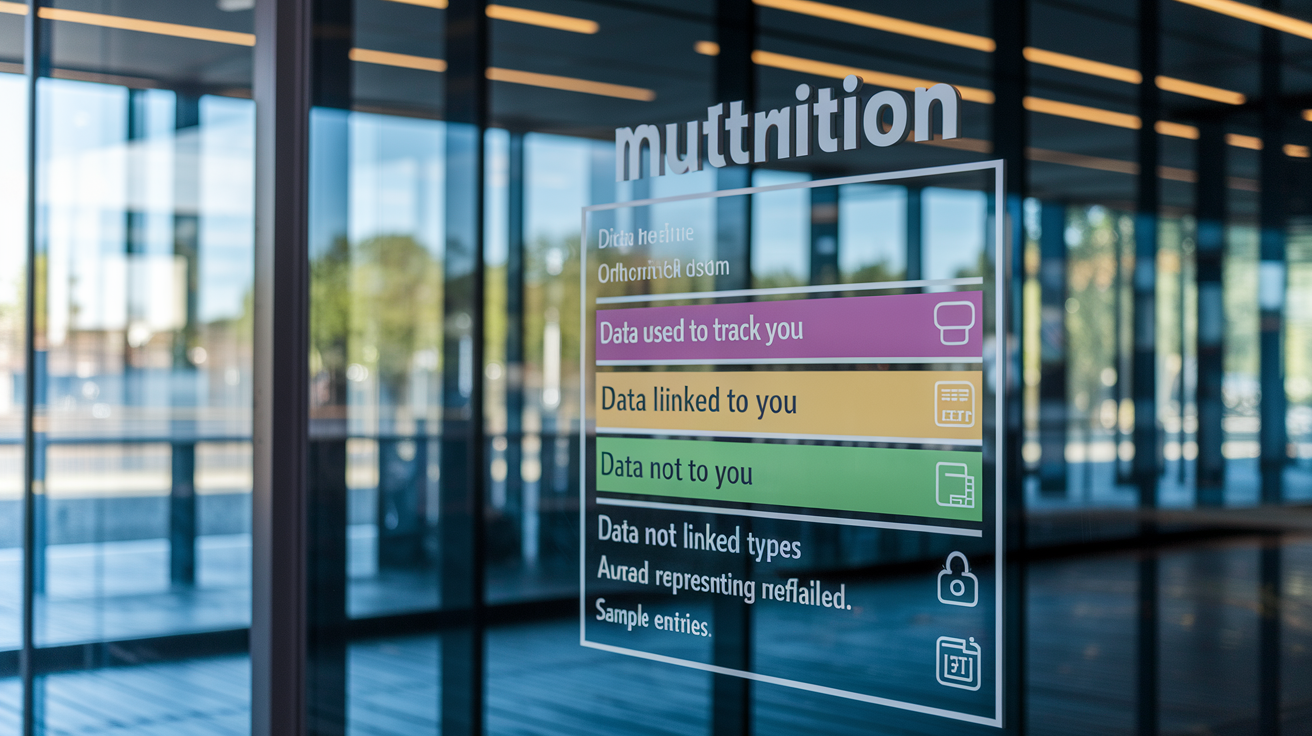
Privacy Nutrition Labels became mandatory December 8, 2020. They organize your data practices into three buckets: “Data Used to Track You” (anything shared with third parties for ads or measurement), “Data Linked to You” (info tied to user identity like email or account ID), and “Data Not Linked to You” (anonymous analytics or diagnostics). Your labels have to match the disclosures in your privacy manifests and reflect collection by all third-party SDKs. Apple’s disclosure list is broad: contact info (name, email, phone), device identifiers (IDFA, device ID), location, usage data (app interactions, searches), diagnostics (crash logs, performance), plus sensitive categories like health, financial, and browsing history. “App privacy details” at https://developer.apple.com/app-store/app-privacy-details/ has the full taxonomy.
Start by inventorying every data point your app touches, whether through your code, analytics SDKs, ad networks, or backend telemetry. For each type, declare its purpose: app functionality (storing user preferences in UserDefaults), analytics (tracking session duration or feature usage), advertising (serving targeted ads or measuring campaigns), product personalization (recommending content based on behavior), or some combination. If any data’s used to track users across apps or websites owned by other companies, flag it as tracking and implement ATT. Watch edge cases like IP addresses (most networking libraries collect them automatically), data transmitted through embedded web views, and device identifiers passed to third-party endpoints. Even if collection’s infrequent or optional, Apple requires disclosure unless the data’s truly ephemeral and not logged or shared.
Five steps to verify label accuracy:
- Build a data-type matrix. Create a spreadsheet listing each collected element (email, IDFA, location coordinates, session start time), its source (first-party code, SDK name, backend API), purpose (analytics, advertising, functionality), and whether it links to user identity.
- Cross-check against manifests. For every data type in your matrix, confirm a corresponding entry exists in your app’s privacy manifest or the SDK’s manifest. Any gap means incomplete disclosure.
- Reconcile with App Store Connect. Open “App Privacy” in App Store Connect, answer each question using your matrix, and verify selections match manifest entries and runtime behavior.
- Test runtime flows. Run the app with network monitoring (Charles Proxy or Xcode’s Instruments) to capture outbound requests and ensure no undeclared data leaves the device. If you see an unexpected identifier or payload, trace it to the originating SDK.
- Update for third-party changes. When you upgrade an SDK, review the vendor’s release notes and updated manifest to detect new data collection. If a new data type shows up, add it to your matrix and update your label before the next submission.
Implementing ATT, Consent Flows, and IDFA Gating

App Tracking Transparency requires you to get explicit user consent before accessing IDFA or using any app data to track users for advertising. Apple defines “tracking” as linking data from your app with data from other companies’ apps or websites to serve targeted ads or share with data brokers. If your app tracks (whether through your code or a third-party SDK), you’ve got to show the ATT prompt and respect the user’s choice. The prompt has to appear before any tracking happens, so you need to configure timing carefully to avoid collecting identifiers or sending telemetry before the user responds.
Import the AppTrackingTransparency framework and add the NSUserTrackingUsageDescription key to your Info.plist with a clear explanation of why you need tracking permission (something like “We use your data to show you relevant ads and measure campaign performance”). Call requestTrackingAuthorization at the right moment, typically after onboarding or just before initializing ad SDKs, but never on first launch before the user gets what your app does. Until the user grants permission, gate all IDFA access and disable any SDK methods that transmit tracking data. If the user denies, the system returns a zero identifier, and you can’t use fingerprinting or alternative identifiers to track them. Store the authorization status locally and check it every session so you don’t accidentally track users who previously declined.
Four ATT implementation steps:
- Add the usage string. Insert NSUserTrackingUsageDescription in Info.plist with a concise, honest explanation. Skip marketing language or vague promises.
- Request permission. Call ATTrackingManager.requestTrackingAuthorization and wait for the user’s response before initializing any advertising or analytics SDKs that rely on IDFA.
- Gate IDFA access. Wrap all code that reads IDFA in a conditional check for .authorized status. If the user declines, make sure your app works without tracking and doesn’t punish them with a degraded experience.
- Handle SDK initialization. Delay initializing third-party ad and analytics libraries until after the ATT prompt resolves. Many SDKs offer configuration flags to disable tracking when consent’s not granted.
Auditing and Updating Third-Party SDKs for Compliance

You’re responsible for all code in your iOS app, which means verifying every third-party SDK meets Apple’s privacy requirements. SDK signatures make sure each version of a library is signed by the same developer, so you can trace updates and catch tampering or substitution. Starting fall 2023, Apple began warning developers about apps using privacy-impacting SDKs without manifests or calling required-reason APIs without approved justifications. By May 1, 2024, manifests and signatures became mandatory. Submissions lacking them get rejected.
List every SDK in your project (analytics, advertising, crash reporting, authentication, utilities) and verify each one provides a privacy manifest (PrivacyInfo.xcprivacy) and a valid signature. Check the vendor’s release notes or GitHub for the version that introduced manifest support. For example, one vendor updated to version 2.3.0 to add a manifest declaring UserDefaults use and to include SDK signatures. If a vendor hasn’t released a compliant version, contact them with your submission timeline. If necessary, evaluate alternatives or remove the SDK. During your audit, pay extra attention to SDKs from smaller vendors or open-source projects, which may lag in compliance, and to SDKs that collect device identifiers, location, or advertising data. Those carry higher rejection risk if undeclared.
| SDK | Manifest Provided? | Signature Valid? | Data Collected? |
|---|---|---|---|
| Example Analytics SDK v3.1 | Yes | Yes | Session duration, app version, device model |
| Example Ad Network SDK v2.8 | No | No | IDFA, IP address, location (upgrade required) |
| Example Crash Reporter v1.5 | Yes | Yes | Stack traces, OS version, memory usage |
Handling Sensitive Data and Minimizing Collection

Apple’s privacy framework rests on four pillars: data minimization (collect only what you need), on-device processing (keep data local when possible), transparency and control (tell users what you collect and let them manage it), and security protections (encrypt data in transit and at rest, use Keychain for credentials). Sensitive data categories like health information, precise location, financial details, contacts, and browsing history require extra scrutiny and explicit disclosure in both your manifest and Privacy Nutrition Label. When possible, don’t collect sensitive data at all. If your app can work with coarse location instead of precise coordinates, or with aggregated analytics instead of user-level events, pick the less invasive option.
Data minimization also means limiting retention and access. Store data only as long as the declared purpose requires, delete it when the user closes their account or requests removal, and anonymize or pseudonymize identifiers when individual-level tracking isn’t required. Say you collect analytics to understand feature usage. Hash user IDs or replace them with session tokens before sending telemetry to your backend. If your app processes health or financial data, keep it on-device using HealthKit or local databases rather than transmitting it to a server. When transmission’s necessary, use encrypted channels (TLS 1.3 or higher), avoid logging sensitive payloads in server logs, and make sure any third-party processor is covered by a data processing agreement.
Apple classifies data as “linked to identity” if it can be tied to a user’s account, device, or profile. To avoid this, strip identifiers before collection and document your anonymization techniques in your privacy policy. If you must link data to identity (for personalized recommendations or syncing across devices, for example), disclose it clearly in your label and explain the value to the user. Even metadata like IP addresses, timestamps, or device characteristics can enable re-identification when combined, so evaluate linkage risk as a whole rather than treating data points separately.
Testing Privacy Behavior Before Submission

Effective privacy testing validates that your app’s runtime behavior matches the disclosures in your Privacy Nutrition Label and privacy manifest. Run the app in a controlled environment with network monitoring enabled. Tools like Charles Proxy, Proxyman, or Xcode’s Instruments can capture all outbound HTTP requests and show which endpoints receive data, what payloads are transmitted, and whether any third-party SDKs make undeclared calls. Compare captured traffic against your manifest entries and label disclosures. If you see an identifier (IDFA, device ID, email hash) you didn’t declare, trace it back to the originating SDK or code path and either remove it, update your disclosures, or implement anonymization.
Test ATT flows on devices running iOS 14 and later by cycling through all permission states: never prompted, denied, and authorized. Verify the prompt appears at the correct moment (after onboarding, before ad initialization) and that your app doesn’t try to access IDFA or transmit tracking data until the user grants permission. Confirm that denying ATT doesn’t break core functionality or display error messages that pressure the user to reconsider. For web views, check whether embedded pages load third-party scripts or trackers. If they do, you’ve got to disclose the data those scripts collect as part of your app’s practices. Test edge cases like IP address logging (many developers forget backend servers capture IP addresses automatically), optional data collection triggered by user actions, and data sent only in specific regions or to specific user segments.
Five test cases to validate before submission:
- Manifest-to-runtime alignment. Capture all API calls during a full app session and confirm each required-reason API appears in your manifest with an approved reason.
- Label-to-network match. Compare your Privacy Nutrition Label categories against observed network payloads. If your label claims “Data Not Linked to You” but the payload includes a user ID, update the label to “Data Linked to You.”
- ATT prompt timing. Launch the app on a fresh install and verify the ATT prompt doesn’t appear before the user completes onboarding or understands the app’s value.
- Third-party SDK behavior. Disable each SDK individually and re-run traffic capture to isolate which SDK is responsible for each network call. If an SDK sends undeclared data, contact the vendor or remove it.
- Web view and IP address handling. Load any embedded web content, inspect outbound requests for third-party analytics or ad pixels, and verify your backend logs IP addresses only if disclosed in your manifest.
Common App Review Rejection Reasons and Fixes

Apple rejects apps for privacy violations across six common scenarios. Missing or inaccurate App Store Connect disclosures happen when the Privacy Nutrition Label doesn’t reflect actual data flows. Fix this by auditing runtime behavior with network monitoring, updating your data matrix to include every collected type, and reconciling App Store Connect entries before resubmission. Undeclared third-party tracking gets flagged when an SDK sends advertising identifiers or shares data with external partners without disclosure. Remediate by auditing all SDKs, obtaining updated manifests and signatures, declaring third-party tracking in your label, or removing non-compliant dependencies. Absent or unreachable privacy policy URLs trigger immediate rejection. Make sure your privacy policy link in App Store Connect loads correctly on desktop and mobile browsers and the page is publicly accessible without login.
ATT prompt issues come in two forms: either the prompt’s missing entirely when the app performs tracking, or it appears too early (on first launch before the user understands the app) or too late (after tracking’s already begun). Fix missing prompts by implementing requestTrackingAuthorization and the NSUserTrackingUsageDescription key. Fix timing problems by moving the prompt to a logical moment after onboarding and before initializing ad SDKs. Data claimed as “not linked to identity” but accompanied by identifiers in telemetry creates a label mismatch. Resolve it by removing identifiers, implementing robust anonymization (hashing or pseudonymization), or reclassifying the data as “linked to identity” and updating your label. Missing approved reasons for required-reason APIs show up when your manifest omits justifications for APIs like NSFileSystemFreeSize or user defaults. Add the correct approved reason in your Xcode manifest, or if no reason fits, submit a request to Apple for a new approved reason.
Six rejection causes and solutions:
- Missing disclosures in App Store Connect. Map runtime data flows to Apple’s data-type categories, update your matrix, complete all App Store Connect privacy questions, and resubmit.
- Undeclared third-party tracking. Audit SDKs with runtime telemetry, obtain or verify manifests and signatures, declare tracking in your label, or replace the SDK with a compliant alternative.
- No privacy policy URL or broken link. Host a privacy policy on a publicly accessible domain, add the URL in App Store Connect, test the link on multiple devices, and make sure the page loads without requiring login.
- ATT prompt absent or mistimed. Import AppTrackingTransparency, add NSUserTrackingUsageDescription to Info.plist, call requestTrackingAuthorization after onboarding, and gate IDFA access until authorization’s granted.
- Identifier sent despite “not linked to identity” claim. Strip user IDs, device IDs, or email hashes before collection. Implement hashing or tokenization. Or reclassify the data as “linked to identity” and update the label accordingly.
- Required-reason API without approved reason. Open your manifest in Xcode, add the correct approved reason for each API listed by Apple, or submit a request for a new reason if your use case is legitimate but not covered.
Updating App Store Connect Metadata, Privacy Policy, and In-App Disclosures

App Store Connect requires a functional privacy policy link and accurate metadata that reflects your privacy manifest and label disclosures. Your privacy policy needs to explain what data you collect, why you collect it, how you use and share it, how long you retain it, and what rights users have (access, deletion, opting out of tracking). The policy should cover both first-party data collection and third-party SDK behaviors, written in clear language that non-technical users can understand. When you update your data practices (adding a new SDK, enabling a feature that collects location, starting to serve ads), revise your privacy policy and increment the version or effective date so users can identify changes.
In App Store Connect, navigate to “App Privacy” and answer each question using your data matrix and manifest. The questions cover contact info, health and fitness, financial info, location, user content, identifiers (IDFA, device ID, user ID), usage data, diagnostics, and other data. For each category you select, App Store Connect asks whether the data’s used for tracking, linked to user identity, or collected for purposes like analytics, advertising, product personalization, or app functionality. Your answers must match declarations in your privacy manifest and the runtime behavior observed during testing. If you collect data only in certain regions or only when a user enables a feature, note that in your privacy policy but still disclose it in App Store Connect if it applies to any user.
Five required metadata fields to complete:
- Privacy policy URL. Provide a direct link to your privacy policy. The page must be publicly accessible, load on mobile and desktop, and contain up-to-date information about your app’s data practices.
- Data types and purposes. Select every data type your app collects (including data from third-party SDKs) and specify the purpose for each (like “Device ID collected for analytics and linked to user identity”).
- Tracking declaration. Answer whether your app or SDKs use data to track users. If yes, confirm you implement ATT and the usage string in Info.plist matches the explanation in your privacy policy.
- Third-party data sharing. Disclose any data shared with advertising networks, analytics providers, or other third parties, and indicate whether sharing’s for tracking, functionality, or both.
- Data retention and user rights. Although not a structured field in App Store Connect, explain retention periods and deletion procedures in your privacy policy and provide a mechanism (in-app settings screen or support email) for users to request data access or deletion.
Maintaining Ongoing Compliance With Apple’s Privacy Requirements

Privacy compliance isn’t a one-time task. Apple updates policies regularly, third-party SDKs release new versions with different data behaviors, and your app evolves with new features and integrations. Establish a process to monitor Apple’s developer news and policy announcements, review SDK release notes before each upgrade, and re-audit your privacy disclosures whenever you add or replace a dependency. Assign a privacy owner within your team (typically a technical lead, product manager, or compliance specialist) who’s responsible for maintaining the data matrix, updating manifests, and making sure App Store Connect metadata stays accurate.
Adopt privacy-by-design principles throughout your development lifecycle. Before building a new feature, evaluate what data it requires and whether you can minimize collection (by using on-device processing instead of server-side analytics, for example, or by requesting coarse location instead of precise coordinates). When integrating a third-party SDK, review its manifest and data disclosures before adding it to your project. If a vendor can’t provide a manifest or signature, treat that as a red flag and look for alternatives. Use runtime telemetry and monitoring tools to detect unreported data flows. Some tools integrate into Xcode and generate alerts when new network calls or API usage appears, helping you catch compliance drift before submission.
Final Words
In the action, this guide stepped through the immediate and longer-term work: enforcement dates and App Store checks, privacy manifests and required‑reason APIs, accurate Privacy Nutrition Labels, ATT consent and IDFA gating, third‑party SDK audits, runtime testing, and App Store Connect metadata updates.
Follow the checklist, run runtime tests, and assign a privacy owner so you can avoid rejections and keep shipping. The steps here show how to comply with apple privacy policy update for developers — and they make future updates easier to handle.
FAQ
Q: What immediate steps should developers take to comply with Apple’s privacy policy update?
A: Developers should immediately upgrade SDKs, verify privacy manifests and SDK signatures, map collected data to label categories, configure ATT prompts and IDFA gating, update App Store metadata, and test runtime privacy behaviors.
Q: What are Apple’s enforcement deadlines and what will Apple verify during submission?
A: Apple’s enforcement deadlines are March 13, 2024 (warnings) and May 1, 2024 (manifests and SDK signatures required); Apple will verify manifests, SDK signatures, and disclosure accuracy during app submission.
Q: What is a Privacy Manifest and which APIs require a required-reason explanation?
A: A Privacy Manifest is a plist file that records data collected by first- and third-party code; required-reason APIs (for example NSFileSystemFreeSize, active keyboard, file timestamp, user defaults) need approved reasons set in Xcode.
Q: How do I prepare accurate App Store Privacy Nutrition Labels?
A: To prepare accurate privacy nutrition labels, map every collected data type to Apple’s categories (Data Used to Track You; Data Linked to You; Data Not Linked to You) and ensure labels match manifests and third-party SDK disclosures.
Q: How should I implement ATT and gate IDFA until consent?
A: You should implement ATT by obtaining explicit user consent before any tracking, display the ATT prompt before accessing IDFA, keep IDFA access gated until consent, and log consent decisions for review.
Q: How do I audit and update third-party SDKs for compliance?
A: To audit SDKs, verify vendor-provided manifests and SDK signatures, check which data each SDK collects, upgrade to compliant versions or remove non-compliant dependencies, and document findings for App Store review.
Q: How should sensitive data be handled and minimized?
A: Sensitive data should be minimized: process on-device where possible, anonymize or pseudonymize records, only collect what’s necessary, and disclose any sensitive collection in your privacy policy.
Q: How do I test privacy behavior before submission?
A: Test privacy behavior by confirming labels match runtime telemetry, validating manifests reflect actual API calls, verifying ATT prompt timing, checking web views and IP handling, and running sandboxed reviews before submission.
Q: What are common App Store review rejection reasons and how do I fix them?
A: Common rejection reasons include missing or inaccurate disclosures, undeclared third-party tracking, absent privacy policy, mistimed ATT prompt, and manifest/runtime mismatches; fixes are updating manifests, metadata, and SDKs and re-testing.
Q: What App Store Connect metadata and privacy policy updates are required?
A: You must provide a working privacy policy link in App Store Connect and align metadata with your manifest; user-facing disclosures should explain tracking, data uses, retention, and user rights per app version.
Q: How can teams maintain ongoing compliance with Apple’s privacy requirements?
A: Maintain compliance by monitoring Apple policy updates, assigning an internal privacy owner, auditing dependencies regularly, using runtime telemetry to spot unreported flows, and embedding privacy-by-design into your development lifecycle.