


Apple just handed many iCloud encryption keys to users — meaning the company can’t read certain backups and photos anymore.
It’s a big privacy shift, but it comes with tradeoffs.
This post walks through the iCloud data privacy changes, which categories are now end-to-end encrypted, and what still stays visible to Apple.
You’ll also get the practical catch: why losing your recovery key or all devices can mean permanent data loss.
Bottom line: stronger privacy for many items, and more responsibility for you.
Understanding the Latest iCloud Privacy Changes and What They Mean
Apple shifted from holding your cloud keys to letting you be the only keyholder. It took years. There were stronger encryption options, a proposal to scan photos and messages before upload, and a lot of public anger. Some features launched. Others got delayed. One scanning system was scrapped after security researchers and civil-rights groups pushed back hard.
Advanced Data Protection is the centerpiece. Turn it on, and Apple generates encryption keys on your devices instead of keeping copies on its servers. The company can’t decrypt your backups, photos, or a bunch of other stuff anymore, even if a government or attacker shows up with a warrant. The catch? Lose your recovery key or all your devices and your data’s gone. Apple support can’t save you.
Quick rundown of what changed:
Stronger encryption model — you hold the keys, not Apple, for most data types
More categories protected — coverage went from 14 to 23
User-controlled keys — you own decryption, period
Apple loses access — can’t read backups, photos, notes when ADP is active
More privacy options — hardware security keys and contact verification for people at high risk
Safety features revised — photo and message scanning got delayed, then killed
None of this makes iCloud bulletproof. Email, contacts, calendar? Still unencrypted so they work with third-party apps. Metadata like file sizes, view counts, timestamps? Apple still sees it. The new protections help most people but come with real responsibilities around key management and device compatibility. You need to understand those before flipping the switch.
iCloud Data Privacy Changes Across Time: A Chronological Breakdown

August 5, 2021. Apple announced it would scan photos in iCloud and images in Messages for child sexual abuse material. The system used on-device hashing and cryptographic thresholds to flag accounts only after 30 matching images turned up. It was supposed to launch with iOS 15, iPadOS 15, watchOS 8 in the U.S. only. Reaction was swift and brutal. More than 90 organizations told Apple to drop it, citing false positives, government misuse, and the precedent it set for wider content scanning. Apple delayed the feature indefinitely. Then canceled it.
December 13, 2022. Apple launched Advanced Data Protection as an opt-in upgrade. The feature expanded end-to-end encryption from 14 to 23 data categories, including iCloud Backup, Photos, Notes, iCloud Drive. Fast forward to 2025. A government order forced Apple to disable or weaken ADP for users in certain regions. That rollback proved what privacy advocates warned about from the start: once a system exists to decrypt or scan data, authorities will demand access.
| Date | Change | Impact |
|---|---|---|
| August 5, 2021 | Announced CSAM scanning for iCloud Photos and Messages | Triggered privacy backlash; feature delayed and later abandoned |
| iOS 15 release window | Planned rollout of on-device NeuralHash and Messages ML detection | Rollout halted; scanning features never shipped to production |
| December 13, 2022 | Launched Advanced Data Protection (ADP) opt-in encryption | Users gained ability to make backups, photos, and notes inaccessible to Apple |
| 2022–2023 | Expanded E2E coverage from 14 to 23 data categories | Increased privacy for Photos, Notes, Safari Bookmarks, Voice Memos, Wallet passes, and Siri Shortcuts |
| 2025 | Government order forced ADP rollback for some regions | Demonstrated legal vulnerability of opt-in privacy features |
Deep Dive Into iCloud Encryption Changes and How They Work

Before Advanced Data Protection, Apple encrypted your iCloud data at rest but held the decryption keys. That design let the company help you recover a forgotten password, restore a backup to a new device, or comply with a lawful government request. Technically speaking, it was server-side encryption. Your files were scrambled, but Apple could unscramble them.
Advanced Data Protection flips it. Enable ADP and your devices generate encryption keys locally. Those keys never leave your hardware. They stay protected by your device passcode and biometric unlock. Apple receives encrypted blobs it can’t read. The system now covers 23 categories: iCloud Backup (which used to let Apple restore your Messages history), Photos, Notes, iCloud Drive, Safari Bookmarks, Siri Shortcuts, Voice Memos, Wallet passes. Apple can’t decrypt these anymore, even under court order.
Upside? If Apple’s servers get breached, attackers grab encrypted data they can’t use. If law enforcement serves a warrant, Apple can’t hand over readable backups or photos. Downside? Permanent and unforgiving. Lose all your devices and your recovery key, your data’s gone. Apple can’t reset your encryption. No backdoor, no support escalation, no way to prove you’re the legitimate owner. You store your recovery key somewhere safe (password manager, physical safe, trusted recovery contact) or you accept the risk of total loss.
On‑Device Photo and Message Scanning: Privacy Changes Explained
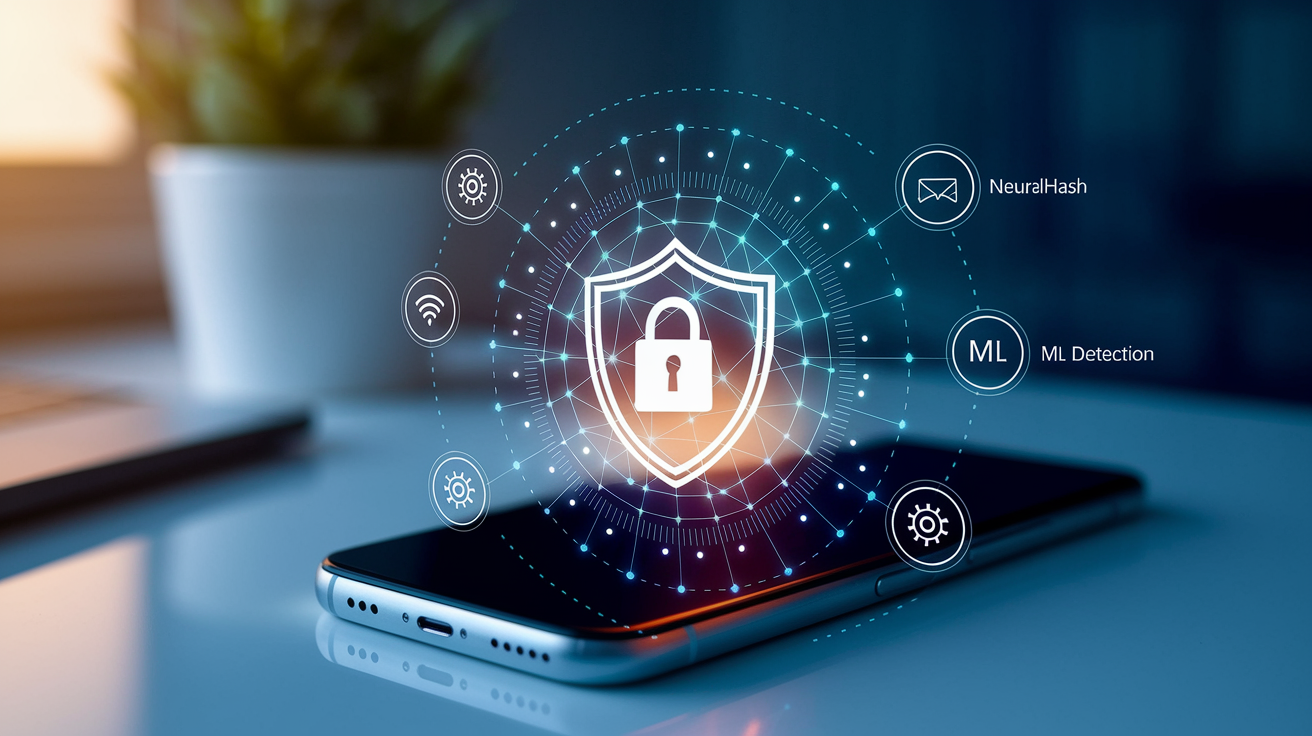
Apple’s 2021 scanning proposal introduced two systems that ran before data left your device.
NeuralHash Workflow and Why Apple Uses It
The iCloud Photos scanning used a perceptual hashing algorithm called NeuralHash to fingerprint each photo you uploaded. Unlike a simple file hash (which changes if you crop or recolor an image), NeuralHash recognized modified versions of the same picture. Grayscale conversions, slight rotations, minor edits all produced similar hashes. Apple received a database of known CSAM image hashes from child-protection authorities, “blinded” those hashes with cryptographic obfuscation, and distributed the database via OS updates.
When your device uploaded a photo to iCloud, it computed the NeuralHash and used Private Set Intersection to check whether the hash matched an entry in the blinded database. Match occurred? Device created an encrypted “safety voucher” containing a copy of the image and metadata. Apple’s servers couldn’t decrypt a voucher unless your account accumulated at least 30 matching images, a threshold enforced by Shamir’s Secret Sharing. Only after crossing that threshold would human reviewers see the flagged content, confirm it was CSAM, report the account to authorities like the National Center for Missing & Exploited Children.
Messages ML Detection and Family Sharing Controls
The Messages feature used on-device machine learning to label images as “sexually explicit.” If your device was enrolled in a Family Sharing plan and designated as belonging to a child under 18, the system blurred flagged images and displayed a warning. For children under 13, the family-plan owner got a notification if the child chose to view or send the image. But the notification didn’t include the image itself or message content.
The system ran entirely on-device. Apple said no images or analysis results were transmitted to servers. Activation required the family-plan owner to manually designate devices as child accounts and enable the protection. Risks? Machine-learning false positives (innocent photos of beach vacations or art flagged as explicit), abusive family-plan owners mislabeling adult devices to surveil partners or roommates, disproportionate harm to LGBTQ+ youth whose explorations of identity or health information could trigger parental alerts and real-world consequences.
Risks, Misuse Scenarios, and Error Rates
Perceptual hashing and ML classifiers produce false positives. Even with a 30-image threshold, an account could be flagged if a user stored many photos of classical sculpture, medical imagery, or personal content that resembled known CSAM hashes. Adversarial attacks were demonstrated by researchers who crafted images that deliberately collided with CSAM hashes, raising concerns about flooding the system or framing innocent users.
Apple couldn’t audit the CSAM hash database because possessing the source images is illegal. That created a transparency gap. Users had no way to verify what was on the list. Governments could demand the inclusion of additional hash categories: political symbols, protest images, content critical of the state. The architecture created infrastructure for on-device filtering that, once deployed, could be repurposed under legal or political pressure.
After months of criticism from security experts, human-rights organizations, privacy advocates, Apple paused the rollout indefinitely and eventually canceled the CSAM scanning features. The company shifted focus to Advanced Data Protection instead, moving toward user-controlled encryption rather than on-device content inspection.
Understanding Advanced Data Protection and New iCloud Encryption Coverage

Before Advanced Data Protection, Apple provided end-to-end encryption for 14 data categories. Things like Keychain passwords, Health data, Home data, Messages in iCloud (only when iCloud Backup was disabled). That left most user content vulnerable: iCloud Backup, Photos, Notes, iCloud Drive were all encrypted on Apple’s servers but decryptable by Apple. The December 2022 expansion added nine new categories, bringing the total to 23.
Newly protected categories under ADP:
iCloud Backup — device settings, app data, Messages backup
Photos — the entire iCloud Photos library
Notes — all notes stored in iCloud
iCloud Drive — files, folders, documents
Safari Bookmarks — bookmarks synced across devices
Siri Shortcuts — custom automation scripts
Voice Memos — recorded audio
Enable ADP and your devices generate keys locally, encrypt backups, photos, notes before upload. Apple receives only ciphertext. Can’t assist with data recovery, even if you lose your device or forget your password. The system transforms iCloud from a convenience layer Apple controls into a zero-knowledge storage service, at least for the categories ADP covers.
Three major services remain unencrypted by design: iCloud Mail, Calendars, Contacts. Apple cited interoperability as the reason. Email must work with third-party clients and servers. Calendar invites and contact exchanges depend on open standards that don’t support end-to-end encryption across providers. Need those services encrypted? Move to a third-party provider built for zero-knowledge architecture.
Device Requirements and How to Enable or Disable the New Privacy Features

Advanced Data Protection requires every device linked to your Apple ID to run a minimum OS version: iOS 16.2, iPadOS 16.2, macOS 13.1 (Ventura), watchOS 9.2, tvOS 16.2, HomePod 16.0, or iCloud for Windows 14.1. Even one device can’t run the required update? An iPhone 7, older iPad? You must unlink it from your account before you can enable ADP. Apple designed the restriction to prevent older devices from breaking encrypted sync.
To enable Advanced Data Protection safely:
Update all linked devices to the minimum OS versions listed above
Check the Devices list in iCloud settings, unlink any hardware that can’t be updated
Don’t enable ADP from a recently added device — use an existing device you trust to avoid lockouts if an attacker adds a device and enables encryption
Choose a recovery method during setup: add a recovery contact (someone who can help you regain access) or generate a recovery key (a long random code you must store securely)
Store your recovery key in a password manager, physical safe, another secure location. Losing it means permanent data loss.
Test device sync after enabling to confirm backups and photos remain accessible on all hardware
To disable ADP, open iCloud settings, navigate to Advanced Data Protection, turn it off. Apple will re-encrypt your data using company-held keys. Want to opt out before enabling it? Do nothing. ADP is opt-in and won’t activate unless you manually turn it on. Once disabled, Apple regains the ability to decrypt your backups and assist with account recovery.
Legal, Government, and Regulatory Factors Affecting iCloud Privacy

When Advanced Data Protection is enabled, Apple can’t comply with government requests to decrypt protected data categories. The company doesn’t hold the keys. That protection held until 2025, when a government order forced Apple to disable or weaken ADP for users in specific regions. The rollback confirmed that legal and regulatory pressure can override technical privacy measures, even when the architecture is designed to resist decryption.
Metadata remains a weak point regardless of ADP status. File sizes, types, upload timestamps, view counts, whether a file is pinned or favorited? All visible to Apple, accessible to law enforcement through legal process. The company publishes transparency reports detailing the volume and type of government requests it receives, but those reports don’t break down requests by data category or explain how often metadata alone satisfied an investigation. Privacy regulations like GDPR and CCPA require Apple to limit data retention and allow users to request deletion, but they don’t prevent lawful disclosure of data the company can access.
Remaining Weak Spots: Metadata, Mail, Contacts, Calendar, and More

Even with Advanced Data Protection enabled, Apple collects and retains substantial metadata about your iCloud usage. File type, file size, how many times you viewed a photo, whether you marked a file as a favorite or pinned it, timestamps for creation and last modification. Metadata is not protected by end-to-end encryption. Remains accessible to Apple and, by extension, to law enforcement and civil litigants with valid legal process.
iCloud Mail, Contacts, Calendars are never end-to-end encrypted. Apple stores those services in plaintext (or encrypted only at rest with company-held keys) to maintain compatibility with third-party email clients, calendar services, contact-sync protocols. Use iCloud for email? Anyone with legal access to Apple’s servers can read your messages, see your calendar entries, pull your contact list. To close that gap, migrate those services to providers built around zero-knowledge encryption. ProtonMail for email, for example. Privacy-focused calendar and contact services.
Expert Risk Analysis and Practical Implications for Everyday Users

Vulnerable groups face disproportionate risks from both the abandoned scanning features and the current encryption model. LGBTQ+ youth whose family-plan owners enable Messages detection could face outing or punishment if innocuous self-exploration is flagged as explicit. Journalists and dissidents in hostile jurisdictions risk account suspension or legal consequences if hash databases expand to include political content or protest imagery. The 2025 legal rollback of ADP in certain regions shows that even strong encryption can be reversed under government pressure, leaving high-risk users exposed.
Technical threat scenarios remain. Advanced Data Protection doesn’t protect against device compromise. Attacker gains physical access to an unlocked device or installs malware? They can exfiltrate data before it’s encrypted for upload. Offline brute-force attacks on weak passcodes can unlock devices and decrypt locally stored data. The human review threshold (30 matching images) reduces single false-positive consequences but doesn’t eliminate the risk of systematic errors or adversarial manipulation if scanning is ever reintroduced.
For most users, enabling Advanced Data Protection is a net positive. It substantially reduces the risk of server breaches, unauthorized Apple employee access, compelled disclosure of backups and photos. The cost is responsibility: you manage your recovery key, keep all devices updated, accept that losing your key means losing your data. If you’re not prepared to handle that trade-off, the default iCloud model (where Apple holds keys and can help you recover) may be safer.
How to Improve iCloud Privacy Today: Practical Steps

User-side precautions complement Advanced Data Protection and close gaps the system doesn’t cover. Small changes to account hygiene, device management, data storage habits reduce your attack surface and limit what adversaries (or Apple) can learn about you.
Ten privacy-hardening actions for iCloud users:
Enable Advanced Data Protection if all your devices meet the OS requirements
Store your recovery key in a password manager or physical safe, not in iCloud itself
Unlink incompatible devices or upgrade hardware so you can turn on ADP
Avoid uploading highly sensitive data to iCloud. Keep it in local encrypted storage instead.
Watch for account-takeover attempts by monitoring login notifications and device lists
Use hardware security keys for Apple ID authentication to block phishing attacks
Migrate email, contacts, calendar to privacy-focused providers if you need those encrypted
Audit your iCloud data regularly to remove files you no longer need stored in the cloud
Disable iCloud Backup for apps that handle sensitive information if you prefer local-only backups
Understand that iCloud Mail is never private. Anything you send or receive can be read by Apple.
Long term, treat iCloud privacy as a layered defense. Advanced Data Protection raises the baseline for most data types, but it’s not a substitute for threat modeling, careful data handling, or switching services when Apple’s architecture can’t meet your requirements. Review your settings every six months, especially after major OS updates or news of legal orders affecting privacy features.
Final Words
We walked through Apple’s move to stronger encryption, ADP’s device-held keys, what stays unencrypted, and the tradeoffs — more privacy for most content but higher recovery risk.
You saw how scanning proposals, timeline shifts, and legal orders shaped the rollout, plus concrete steps to harden accounts and manage keys.
If you need a quick take: icloud data privacy changes explained — it’s mostly wider end-to-end coverage, with some metadata and service gaps to watch.
Still, the net result is clearer user control and practical steps you can take today.
FAQ
Q: Will my photos be deleted if I stop paying for iCloud?
A: If you stop paying for iCloud, your account reverts to the free 5GB tier and uploads stop if you exceed space; existing photos aren’t deleted immediately, but could be removed after extended nonpayment—back up your files.
Q: Can you tell if your iCloud has been hacked?
A: You can tell an iCloud hack by signs like unexpected password resets, unknown devices on your Apple ID, sign‑in alerts, missing files, or unfamiliar backups; check devices, change your password, and enable two‑factor authentication.
Q: Can other people on my iCloud see my photos?
A: Other people on your iCloud can see your photos only if they share your Apple ID or you enabled Shared Albums or Family Sharing with photo sharing; separate Apple IDs keep personal libraries private.
Q: Can Apple see what’s in your iCloud files if advanced data protection is on?
A: If Advanced Data Protection is on, Apple cannot decrypt end‑to‑end protected iCloud data because you hold the keys; Apple can still see metadata and unprotected services such as Mail, Contacts, and Calendar.