
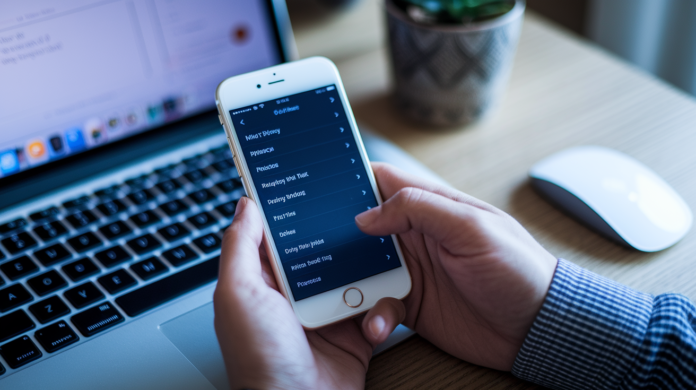

What if Apple stopped defaulting to keep your Siri recordings?
They’ve flipped the default: Siri audio isn’t stored unless you opt in.
Apple now keeps computer-generated transcripts by default, and audio files are collected only with explicit permission.
If you opt in, only Apple employees—not outside contractors—can listen, and Apple says accidental wake-ups will be deleted.
That limits who can hear your voice but leaves questions about how long transcripts are kept.
If you use Siri, check settings to control what Apple retains.
What the New Siri Voice Data Protections Change for Users

Apple’s flipped the default on Siri voice recordings. Your audio doesn’t get stored anymore unless you say yes. Instead of keeping raw voice files on servers, Apple generates computer transcripts of what you said and uses those text records to improve Siri’s language understanding and response accuracy. You can opt in through device settings if you want to participate in audio-based improvement programs, and you can turn it off whenever you feel like it. When you do opt in, only Apple employees can listen to those audio samples. No third-party contractors. And if a recording gets flagged as an accidental Siri trigger (your pocket talking or background TV noise), Apple has to delete it.
Computer-generated transcripts still live on Apple’s servers even when you decline audio retention. Those text logs feed Siri’s machine-learning pipelines. Human reviewers don’t have blanket access to stored voice files anymore. Access is gated behind user consent and limited to Apple’s own staff. The company’s also formalized a cleanup process for accidental activations, committing to remove recordings that look unintentional rather than leaving them indefinitely in training datasets. These operational changes apply across all devices running Siri—iPhone, iPad, Mac, HomePod, and Apple Watch. The new defaults follow you regardless of which hardware you use.
Here’s what actually changed:
Opt-in requirement: audio samples are collected only if you grant explicit permission through device settings.
Transcript retention: computer-generated text logs remain stored and continue to train Siri’s models even when audio isn’t kept.
Employee-only listening: third-party contractor access has been eliminated. Only Apple employees can review audio samples when users opt in.
Deletion of inadvertent triggers: any recording identified as an accidental activation must be removed from Apple’s systems.
Before this update, Apple retained audio recordings by default and used third-party grading contractors to review samples without clear, upfront consent mechanisms. Some users discovered their inadvertent wake events—conversations Siri captured by mistake—had been included in training pools and listened to by external reviewers. The new policy addresses those concerns by flipping the default to no audio storage and by restricting human access to opted-in samples reviewed exclusively by Apple staff. What’s still missing: Apple hasn’t disclosed how long it keeps computer-generated transcripts, what anonymization techniques protect those text logs, or where exactly in iOS settings users will find the opt-in toggle and participation history.
Technical Mechanics of Siri Transcript Generation, Storage, and Deletion
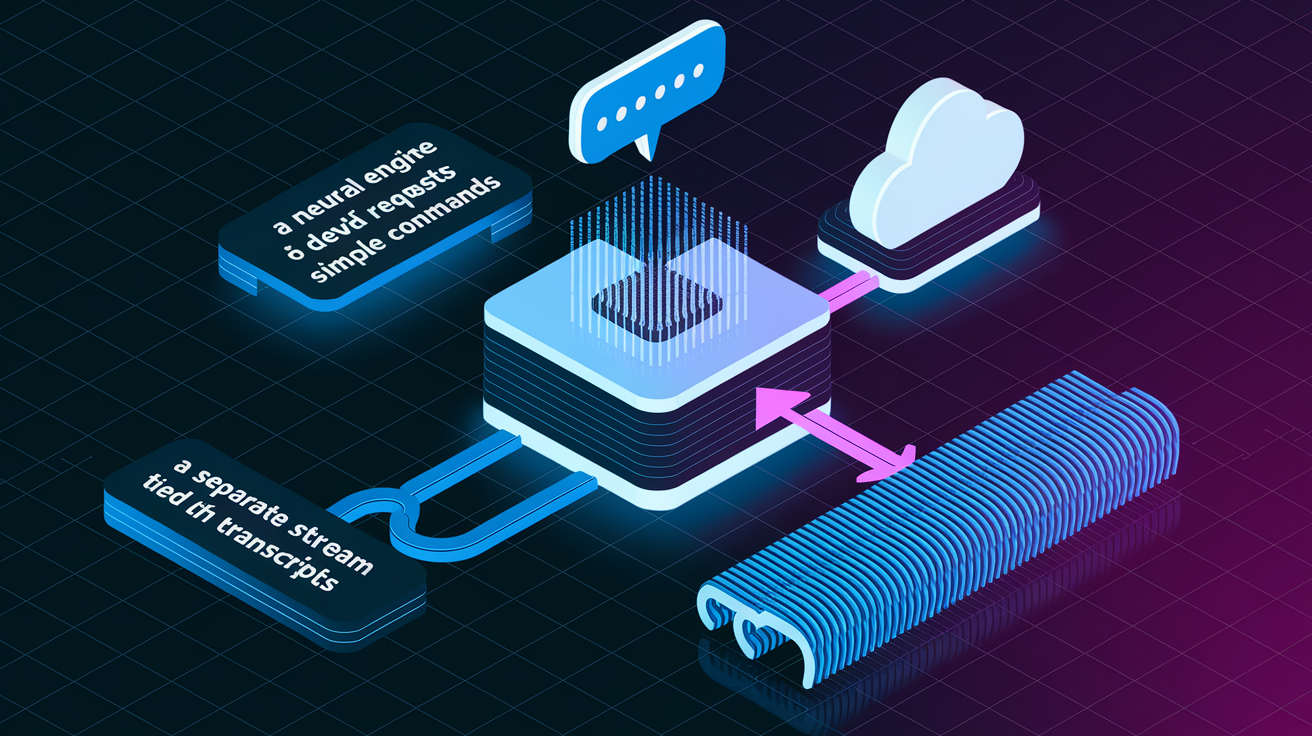
When you issue a Siri request, the device converts your spoken words into a text transcript using on-device or server-side speech recognition. It depends on the complexity of the query and available processing power. For simpler commands—setting a timer, playing a song, toggling a setting—speech-to-text happens locally on the device’s neural engine. The resulting transcript never leaves the hardware unless additional cloud lookup is required. For more complex requests that need real-time information or contextual reasoning, the audio is sent to Apple’s servers, transcribed there, and the text log is stored in a database tied to a random device identifier rather than your Apple ID. Apple uses these text records to train natural-language models, refine entity recognition (names, places, product titles), and tune response generation. But the company hasn’t published retention windows for transcript data or described pseudonymization methods in technical detail.
Deletion mechanics differ between audio files and transcripts. When you revoke opt-in permission for audio samples, Apple stops collecting new voice recordings immediately. The system doesn’t automatically purge transcripts already stored. Those text logs remain in the training corpus until their unspecified retention period expires. If Siri’s internal classifier flags a recording as an inadvertent trigger—detected by heuristics like short duration, lack of follow-up interaction, or background-noise patterns—the corresponding audio file and its transcript are marked for deletion. Apple states the removal happens promptly. Users who want to delete historical Siri interactions can navigate to Siri settings and select “Delete Siri & Dictation History,” which removes stored text logs and any opted-in audio samples. The interface doesn’t display timestamps or individual request records, so you delete in bulk rather than line by line.
User Control Options for Managing Siri Voice Data Protections

Apple requires explicit opt-in before it collects audio samples for Siri improvement programs. The company must publish a plain-language explanation of how users can enable or disable that participation. The opt-in toggle appears in the Siri & Search section of iOS Settings, under a submenu labeled “Improve Siri & Dictation” or similar wording that varies slightly across iOS versions. Once you enable audio-based improvement, Apple begins including your voice samples in its training datasets. You can turn the feature off at any time without losing access to Siri functionality. Disabling the toggle stops new audio collection immediately, though it doesn’t retroactively delete samples already submitted unless you also trigger the “Delete Siri & Dictation History” command. Apple has stated that users who participated in earlier audio-review programs before October 2019 should have had their recordings permanently deleted as part of a legal settlement. Pre-2019 audio should no longer exist in Apple’s systems.
To minimize accidental Siri activations and reduce the volume of inadvertent recordings, users can adjust the “Listen for ‘Hey Siri'” setting or disable raise-to-wake Siri on supported devices. Turning off “Hey Siri” requires manual button presses to invoke the assistant. That cuts down on false wakes caused by similar-sounding words or background TV dialogue. Recommended actions for managing Siri voice data:
Review Siri privacy settings in Settings > Siri & Search to confirm your opt-in or opt-out status for audio-based improvements.
Toggle “Listen for ‘Hey Siri'” off if you prefer manual activation and want to eliminate always-listening behavior.
Check participation history by navigating to Settings > Privacy & Security > Analytics & Improvements to see whether “Share Audio Recordings” is enabled.
Delete historical interactions using the “Delete Siri & Dictation History” button to remove stored transcripts and any opted-in audio samples in bulk.
Set a calendar reminder to review these settings quarterly, especially after major iOS updates that may reset preferences or introduce new data-sharing options.
Apple’s settlement obligations include publishing clear, accessible instructions for these controls. Future iOS releases should surface opt-in prompts and explanations more prominently during initial device setup or after system upgrades.
Comparison of Siri Voice Data Protections Before and After the Apple Privacy Update

Before Apple’s 2019 policy shift and the latest update, the company retained audio recordings of Siri interactions by default and relied on third-party grading contractors to review samples for quality assurance and training purposes. Users weren’t explicitly asked to opt in. Many were unaware that human listeners—some employed by external vendors—could hear snippets of their requests, including inadvertent activations that captured private conversations when Siri woke accidentally. That practice came under public scrutiny after reports revealed contractors heard sensitive information, from medical discussions to business calls, without clear disclosure or consent mechanisms in place.
| Before Update | After Update |
|---|---|
| Audio recordings retained by default. No explicit opt-in required for storage or human review. | Audio recordings not retained by default. Users must explicitly opt in for audio samples to be collected and reviewed. |
| Third-party contractors had access to audio samples for grading and quality-assurance tasks. | Only Apple employees are allowed to listen to audio samples. Third-party contractor access has been eliminated. |
| Inadvertent activations (false wakes) were often retained and included in training datasets without systematic deletion. | Recordings identified as inadvertent triggers must be deleted. Apple has formalized detection and removal processes. |
The shift from default audio retention to opt-in-only collection represents a meaningful tightening of data minimization practices. The removal of third-party graders addresses one of the most criticized aspects of the old system. Users who never opt in should see no audio files stored on Apple’s servers, reducing exposure to both human review and potential data breaches. The trade-off: fewer audio samples may slow Siri’s improvement in edge-case accents, dialects, and noisy environments unless a significant number of users voluntarily participate in the audio program. Apple hasn’t published participation rates or disclosed whether transcript-only training can fully compensate for the reduction in raw voice data.
Privacy and Security Implications of Changes to Siri Voice Data Protections

Apple emphasizes that it processes as many Siri requests as possible on-device. Voice data stays local to the iPhone, iPad, or Mac rather than transmitting it to cloud servers. The company states publicly that Siri data “has never been sold” and “has never been used to build marketing profiles,” positioning the assistant as a privacy-focused alternative to competitors that monetize voice interactions through ad targeting or cross-service profiling. By defaulting to no audio storage and requiring explicit consent for human review, Apple reduces the attack surface for unauthorized access or misuse. If audio files don’t exist on servers, they can’t be subpoenaed, leaked in a breach, or accessed by rogue employees without triggering consent violations.
Restricting human review to Apple employees instead of third-party contractors adds an accountability layer. Apple can enforce internal access controls, audit logs, and employment agreements more directly than it can with external vendors. The mandatory deletion of inadvertent triggers further narrows the risk that private conversations captured by false wakes end up in training datasets or are heard by reviewers. On-device processing also limits the metadata trails—timestamps, location tags, query context—that would otherwise be logged server-side. Apple hasn’t detailed whether on-device requests generate any local logs or whether those logs sync to iCloud backups.
Key unknowns remain. Apple hasn’t published technical specifications for how it anonymizes or pseudonymizes computer-generated transcripts. It’s unclear whether those text logs are aggregated, hashed, or stripped of personally identifiable markers before being fed into machine-learning pipelines. The company hasn’t disclosed retention periods for transcripts, leaving users unable to assess how long their text-based request history persists in Apple’s systems. Without transparency on anonymization methods and retention timelines, users must rely on Apple’s policy statements rather than verifiable technical controls. The risk of re-identification or long-term profiling through transcript analysis can’t be fully evaluated.
Legal and Regulatory Drivers Behind the Siri Voice Data Protections Update

A $95,000,000 class-action settlement prompted Apple to formalize and clarify its Siri voice-data practices. The lawsuit alleged that Apple recorded users without adequate disclosure, shared those recordings with third-party contractors, and used inadvertent activations for training purposes without informed consent. Violating privacy expectations and potentially breaching consumer-protection laws. Apple denied wrongdoing but agreed to the settlement to avoid protracted litigation. The terms require the company to delete all Siri audio recordings obtained before October 2019, restrict human review to Apple employees, and publish clear explanations of how users can opt in to audio-based improvement programs. The settlement remains subject to approval by a U.S. district judge. Final terms may include claims administration, user notification, and ongoing compliance monitoring.
Beyond the settlement, Apple’s policy changes align with broader regulatory pressure from the EU’s General Data Protection Regulation (GDPR) and the California Consumer Privacy Act (CCPA). Both mandate explicit consent for data collection, user rights to deletion, and transparency about third-party data sharing. GDPR’s data-minimization principle and purpose-limitation rules discourage blanket retention of voice recordings. CCPA’s opt-out rights give California users leverage to demand deletion of personal information, including voice data. By defaulting to no audio storage and offering clear opt-in mechanisms, Apple reduces its exposure to regulatory enforcement actions and positions itself as a privacy leader compared to voice assistants that still retain audio by default or rely heavily on third-party transcription services.
Settlement obligations Apple must meet:
Permanent deletion of Siri audio recordings collected before October 2019, confirmed and documented for court review.
Publication of opt-in explanations in user-facing settings and support documentation, detailing how to enable or disable audio-based improvements.
Restriction of human access to Apple employees only, eliminating third-party contractor listening and grading of Siri audio samples.
These legally binding commitments give users a clearer baseline for how Apple must handle voice data going forward. Enforcement and verification remain dependent on judicial oversight and any ongoing settlement administration.
Practical Impact of Siri Voice Data Protections on Daily Siri Use

For most users, Siri will behave identically after the update. Commands execute at the same speed, responses remain consistent, and on-device requests require no server round-trip. The difference lies in what happens behind the scenes. Your voice recordings no longer accumulate on Apple’s servers by default. If you never opt in to audio-based improvement, no human listener will ever review your Siri interactions. On-device processing means simple tasks (timers, music playback, messaging) happen locally without generating server logs. More complex queries that do require cloud lookup now produce only text transcripts, not stored audio files. This shift improves default privacy without degrading functionality for everyday use cases.
The trade-off surfaces in Siri’s long-term accuracy and language-model refinement. Reducing the pool of real-world audio samples may slow Apple’s ability to improve speech recognition for regional accents, noisy environments, and edge-case vocabulary unless a substantial number of users voluntarily opt in. Transcript-only training can refine natural-language understanding and intent classification. But it can’t capture pronunciation nuances, prosody, or acoustic features that help distinguish homophones and context-dependent meanings. If participation in audio programs remains low, Siri’s improvement curve may flatten compared to competitors who retain and analyze larger volumes of voice data. Apple hasn’t disclosed current opt-in rates or quantified the impact of reduced audio datasets on model performance.
Remaining Gaps and Unanswered Questions About Siri Voice Data Protections

Apple hasn’t published retention timelines for computer-generated transcripts. Users can’t determine how long their text-based request history remains in Apple’s training systems or when those records are automatically purged. The company hasn’t disclosed anonymization or pseudonymization techniques. Whether transcripts are aggregated, hashed with one-way functions, stripped of device identifiers, or processed in differential-privacy pipelines. Leaving technical details about re-identification risk unverified. Apple hasn’t provided metrics on the percentage of Siri requests processed on-device versus server-side. Making it impossible to assess the real scope of data minimization or to confirm how many interactions avoid cloud exposure. No technical limits on employee access have been described. It’s unclear how many Apple staff can review opted-in audio, whether access is logged and audited, or what approval workflows gate listening privileges.
Key areas where Apple hasn’t provided information:
Transcript retention periods: no disclosed window for how long text logs remain stored before automatic deletion.
Anonymization methods: no published technical specifications for pseudonymization, aggregation, or differential privacy applied to transcripts.
On-device vs. server-side breakdown: no quantitative data on what percentage of Siri requests are processed locally versus sent to Apple’s cloud.
Employee access controls: no details on how many reviewers can listen to opted-in audio, what audit logs track access, or whether geographic or role-based restrictions apply.
Implementation timeline: no specific dates for when policy changes take full effect or how Apple will notify users of updates to privacy controls.
Without these details, users must trust Apple’s high-level policy statements rather than independently verify the technical safeguards and data-lifecycle practices that govern Siri voice interactions.
Final Words
Apple now stops storing Siri audio by default; audio review is opt‑in and can be revoked. That change is the headline: more default privacy and clearer user control.
Transcripts still exist on Apple servers, employees — not contractors — handle any audio if you opt in, and accidental activations must be deleted. This reverses older practices with contractor access, though transcript retention timelines and anonymization remain unclear.
If you’re tracking changes to siri voice data protections in apple privacy update, the takeaway is practical: tighter defaults, explicit controls, and a meaningful step forward for privacy.
FAQ
Q: How do I stop Siri from listening to my conversations, and how do I turn off Siri Dictation and other privacy settings on my iPhone?
A: To stop Siri from listening and disable Dictation, turn off “Listen for Hey Siri” and “Press Side Button for Siri” (Settings > Siri & Search), disable Dictation (Settings > General > Keyboard), and opt out of Siri improvement programs.
Q: What is the Siri privacy controversy?
A: The Siri privacy controversy involves past contractor review of recorded Siri interactions without clear user consent, which led to a lawsuit and settlement requiring clearer opt‑ins, deletion rules, and tighter human access controls.