


Think every OS release is just a bug fix? Think again.
Major vendors hide planning signals in version strings and phase labels.
If you can read those signals you’ll know the scope, urgency, and migration work before installing.
This post shows how to interpret release cadence announcements from major OS vendors by scanning six elements—version ID, release phase, support window, feature commitments, security posture, and rollout schedule.
Use this checklist to decide what to test, when to patch, and when to delay.
Key Elements to Examine in OS Release Announcements

Every major OS release contains the same signals, just hidden in different spots. Start with the version identifier. Something like “Windows 11, version 23H2” or “iOS 17.4.1” tells you right away if you’re dealing with a major release, a feature update, or just a security patch. Version numbers follow patterns. The first digit usually means breaking changes or new hardware requirements. Trailing digits? Those are incremental fixes. Decode the version string and you’ll know the scope and urgency before you read anything else.
Next, find the milestone label. Vendors use terms like Preview, Beta, Release Candidate, and General Availability to show where the software stands. Preview and Beta mean the code’s still changing. Installing these in production is accepting instability, plain and simple. Release Candidate signals feature‑complete software in final validation. General Availability (GA) is your green light for production. If an announcement skips the GA date or uses vague language like “coming soon,” treat it as experimental until you see a hard date and matching support terms.
Support windows define how long a version gets patches. Look for explicit dates, or phrases like “18 months of support” and “5‑year LTS.” Vendors split support into phases. Mainstream support includes new features and non‑security fixes. Extended support delivers only critical patches. Security‑only phases provide CVE mitigations with no functional updates. Calculate the End‑of‑Support date by adding the stated duration to the GA date. If an announcement says “released April 2024, 18 months of support,” mark October 2025 as your upgrade deadline.
When you’re scanning any OS release announcement, pull these six elements first:
- Version schema and number – Major.Minor.Patch or Year.Month format. Signals scope and compatibility impact.
- Phase name – Preview, Beta, RC, or GA. Determines production readiness.
- Support start and end dates – Explicit calendar dates or duration (e.g., “3 years from GA”). Defines your planning horizon.
- Feature commitments – New capabilities, platform support (ARM64, new chipsets), or removed functionality. Affects hardware and application compatibility.
- Security posture – CVE fixes included, new security frameworks, or hardening initiatives. Drives patch urgency.
- Rollout schedule – Phased availability, regional staging, or device‑specific timing. Tells you when the bits will actually reach your hardware.
How OS Versioning Schemes Communicate Release Intent

Apple ties major version numbers to annual cycles. iOS 17 arrived in fall 2023, iOS 18 in fall 2024. The first digit tracks the year, and point releases (17.1, 17.4.1) deliver feature additions and security fixes within that cycle. Microsoft uses build numbers alongside marketing names: “Windows 11, version 23H2, OS Build 22631.3737” combines a version year‑half (23H2 = second half of 2023), a feature‑update name, and an internal build identifier that increments with each patch. Google pairs Android major versions with API levels. Android 14 is API level 34, and they append monthly security patch levels like “2024‑05‑05” to track security separately from feature versions.
These patterns communicate intent. A jump in the major version number (Windows 10 to 11, macOS 13 to 14) typically means new hardware requirements, deprecated APIs, or user‑interface changes that require application updates and user retraining. Minor‑version increments (iOS 17.3 to 17.4) add features but preserve compatibility. Patch‑level changes (the third digit or monthly patch date) are low‑risk security and stability fixes. When a vendor skips the usual pattern, releasing a major version outside the annual cycle or issuing a patch with a feature normally reserved for minor updates, it signals urgency or strategic repositioning.
For enterprise and personal planning, treat major‑version changes as multi‑month projects requiring compatibility testing, user communication, and hardware validation. Minor updates fit into quarterly maintenance windows. Patch releases should deploy within days for security fixes, or within weeks for quality improvements. If you’re managing a mixed environment, map each device to its vendor’s versioning cadence and set alerts for major‑version announcements at least six months before expected GA dates. That gives you time to test and budget.
Understanding Support Lifecycles and End‑of‑Life Policies
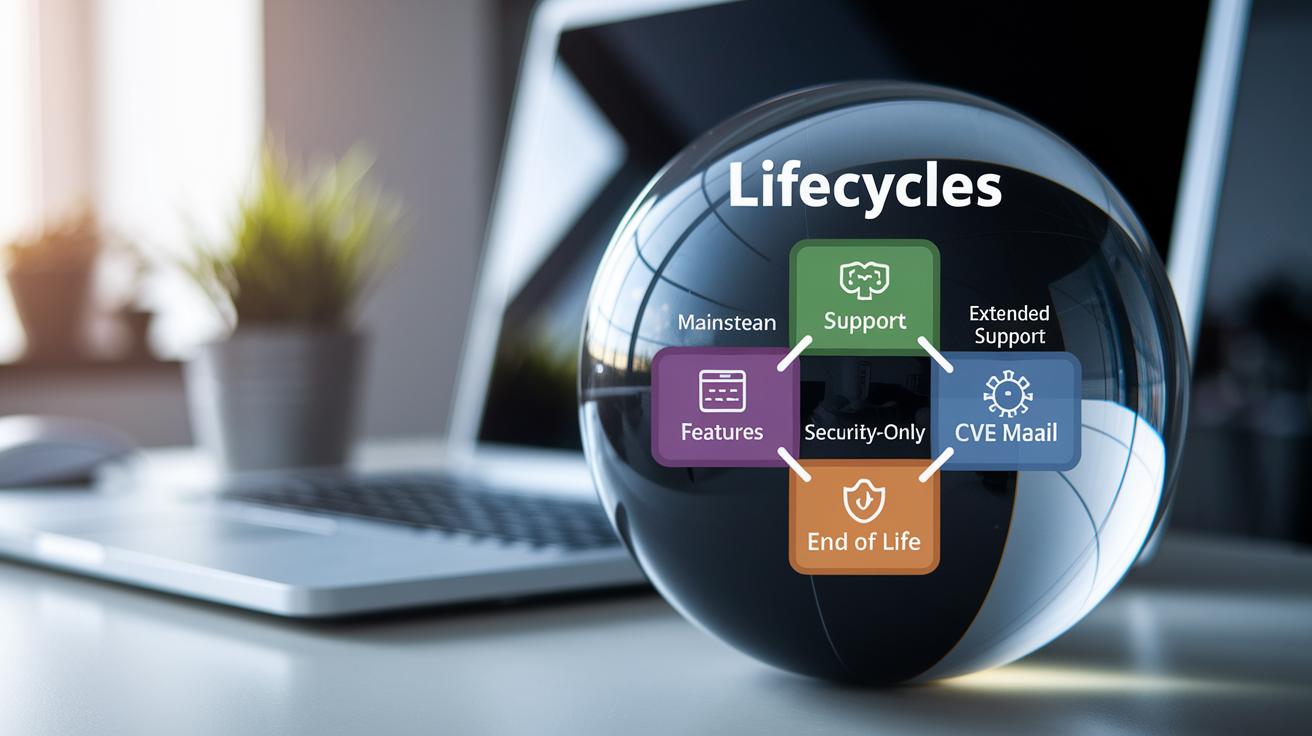
Mainstream support is the window when a vendor ships new features, non‑security bug fixes, and helps with deployment issues. Extended support continues security patches and critical fixes but stops adding features. It often costs extra or applies only to enterprise licenses. Security‑only phases deliver CVE mitigations with no functional changes, and some vendors charge separately for this. When an OS version enters Extended or Security‑only support, expect slower patch cadences and narrower fix scope. Only issues with demonstrated exploit code or regulatory compliance impact will be addressed.
End‑of‑Life (EoL) announcements define the final patch date. After EoL, the vendor stops releasing updates entirely. Your systems are exposed to any vulnerabilities discovered later. EoL signals come in two forms: explicit dates (“support ends June 30, 2026”) or relative durations (“18 months from GA”). If you see “N years of support,” add N to the GA date to compute your upgrade deadline. Vendors sometimes extend EoL for high‑adoption versions or offer paid extended‑security‑update programs, but relying on extensions is risky. Plan migrations before the original EoL date.
| Lifecycle Stage | Meaning | Example Timeline |
|---|---|---|
| Mainstream Support | Full feature updates, bug fixes, security patches, and vendor assistance | GA date + 2–5 years (Microsoft, Apple annual cycle) |
| Extended Support | Security patches and critical fixes only; no new features | After Mainstream; typically +2–3 years (Microsoft LTSC channels) |
| Security‑Only Support | CVE mitigations for demonstrated exploits; minimal or no functional fixes | Final phase before EoL; often 6–12 months (Android OEM variants) |
| End of Life (EoL) | No updates, no patches, no vendor support | Fixed date announced 6–12 months in advance |
Recognizing Feature Rollout Patterns and Staggered Release Models

Vendors rarely flip a switch and deliver every feature to every device on GA day. Microsoft uses Feature Updates deployed through Windows Update channels. Devices in the Release Preview ring receive updates weeks before those in the Broad Deployment phase. Apple drops platform features in point releases after the initial major version launches. iOS 17.0 shipped in September, but features like Journal appeared in iOS 17.2 months later. Google decouples many Android features from OS updates entirely, shipping them through Google Play Services so devices running older Android versions still receive new capabilities without a full OS upgrade.
Staggered rollouts reduce risk and allow vendors to catch regressions before wide deployment. If an announcement says “rolling out over the coming weeks” or “available to Windows Insiders first,” expect a multi‑phase release. Early adopters validate stability, then the vendor expands availability to broader rings. For enterprise planning, identify which ring your devices occupy and when each ring receives updates. Consumer devices typically join later rings, while enterprise‑managed systems can opt into earlier or later deployment based on testing readiness.
Typical rollout channels and what they signal:
- Developer/Insider rings – Unstable, feature‑complete preview builds. High churn, frequent updates, not for production.
- Beta channels – Feature‑locked, stability‑focused. Suitable for internal testing but expect occasional breaking changes.
- Release Candidate (RC) – Final pre‑GA validation. Minimal changes expected, safe for pilot groups.
- General Availability, Phased – GA release delivered in waves by device type, region, or enrollment status. Production‑ready but not yet universally available.
- Broad Deployment – Unrestricted availability. All eligible devices can install on‑demand or receive automatic updates.
Vendor‑Specific Release Cadence Patterns

Microsoft, Apple, and Google each follow distinct rhythms. Recognizing these patterns helps you anticipate release timing and scope before official announcements land.
Microsoft
Microsoft historically published Feature Updates twice per year (Semi‑Annual Channel), then shifted to annual releases for Windows 11 with monthly cumulative updates layered on top. Each Windows version uses a year‑half identifier (22H2, 23H2) and receives 18–24 months of support for Home and Pro editions, or up to 10 years for Enterprise LTSC builds. Security updates ship on the second Tuesday of each month (Patch Tuesday), and out‑of‑band patches appear only for critical zero‑days. If Microsoft announces a named Feature Update, expect a multi‑gigabyte download, driver compatibility checks, and a potential need to re‑test line‑of‑business applications. Monthly cumulative updates are smaller and focus on security and stability.
Apple
Apple aligns OS releases with hardware launches. New iOS, iPadOS, macOS, watchOS, and tvOS versions arrive every September alongside new iPhones and other devices. Major versions ship with new hardware and drop support for older models, creating a hardware‑software compatibility forcing function. Throughout the year, Apple issues point releases (e.g., iOS 17.1, 17.2) that add features, fix bugs, and deliver security patches. Starting in 2023, Apple introduced Rapid Security Responses. These are small, focused patches for actively exploited vulnerabilities that install faster than full point releases. If an announcement mentions Rapid Security Response, prioritize it immediately. It signals an in‑the‑wild threat.
Android major versions (Android 14, 15) ship annually and increment the API level, which defines what capabilities apps can use. Google publishes monthly security bulletins on the first Monday of each month, listing CVE fixes and patch levels. Device manufacturers and carriers control when updates reach end‑user hardware, creating variability. Pixel devices receive updates first, while third‑party Android phones may lag by weeks or months. Google also decouples features from OS updates using Google Play Services and Mainline modules, allowing security and feature updates to arrive independently of full OS upgrades. When reading a Google Android announcement, check whether changes require an OS update or will deploy via Play Services. Play Services updates reach devices faster and with less compatibility risk.
Practical Framework for Evaluating Announcements and Planning Upgrades

Evaluating an OS release announcement comes down to three questions: Is this production‑ready? How long is it supported? What breaks if I deploy it? Enterprises often map vendor release phases to internal test rings. Preview and Beta builds go to lab systems, Release Candidates to pilot groups, and GA releases to production only after passing compatibility tests. Individuals should check hardware compatibility lists, application support statements from key vendors (Adobe, Microsoft Office, developer tools), and user reports from early adopters before updating personal devices. Red flags include short support windows (less than 12 months), major kernel or driver architecture changes, new hardware requirements that exclude current devices, and vendors using vague language about feature availability or patch timelines.
Follow this method every time you read a major OS release announcement:
- Identify the release phase – Confirm whether the announcement describes Preview, Beta, RC, or GA. Only GA is production‑ready.
- Check support dates – Extract the GA date and support duration. Calculate End‑of‑Support by adding the duration to GA, then mark that date as your upgrade‑or‑migrate deadline.
- Verify hardware and software compatibility – Cross‑reference the minimum system requirements, deprecated features, and removed APIs against your current environment. Test critical applications in a lab before broad rollout.
- Review vendor risk notes – Look for sections titled “Known Issues,” “Breaking Changes,” or “Migration Guide.” These sections list what will stop working and what configuration changes are required.
- Plan your deployment timeline – For major releases, allocate 4–8 weeks for testing, 2–4 weeks for pilot deployment, and 4–12 weeks for full rollout depending on organization size. For minor updates, compress to 1–2 weeks of validation before production.
- Monitor follow‑up patches – Major releases often receive day‑one or week‑one patches to fix issues discovered at scale. Subscribe to vendor security bulletins and delay deployment by 7–14 days if you can afford the risk trade‑off, allowing the vendor to issue early fixes before you commit.
Final Words
We stripped release notes to the essentials: version numbers, milestone labels (Preview, Beta, RC, GA), support windows, and staged rollout signals. You learned how vendor patterns and versioning hint at urgency and compatibility risk.
Use the checklist and planning framework to decide when to test, wait, or deploy. Focus on phase names, end‑of‑support dates, and rollout cadence. This short guide on how to interpret release cadence announcements from major OS vendors should make upgrade planning less guesswork and more routine — and leave you ready to act with confidence.
FAQ
Q: What does release cadence mean?
A: The release cadence means the regular schedule and tempo a vendor follows to publish OS updates, covering major releases, minor fixes, security patches, and the expected timing between them.
Q: How does release cadence affect upgrade planning?
A: Release cadence affects upgrade planning by defining when updates arrive, how long you have to test, and when support overlaps, so teams schedule testing, staging, and rollouts around vendor timing.
Q: What are common release cadence patterns for Microsoft, Apple, Google?
A: Common release cadence patterns are: Microsoft uses semi‑annual/annual feature updates and build channels, Apple issues yearly major releases plus rapid security responses, and Google provides monthly patches plus annual Android updates.
Q: How do milestone labels (Preview, Beta, RC, GA) relate to release cadence?
A: Milestone labels relate to cadence phases: Preview/Beta mark early test waves, Release Candidate implies near-final builds, and General Availability indicates full production release and broader support schedules.
Q: How can I identify support windows in an OS release announcement?
A: You identify support windows by finding lifecycle sections that list Mainstream, Extended, or security‑only phases and explicit start, end‑of‑support, and final patch dates.
Q: What signals show a feature is fully rolled out versus staged?
A: Signals a feature is fully rolled out include a vendor GA announcement, removal of channel or region restrictions, specific build numbers listed, and updated documentation or support notes.